The monthly budget planner that shows where every dollar went
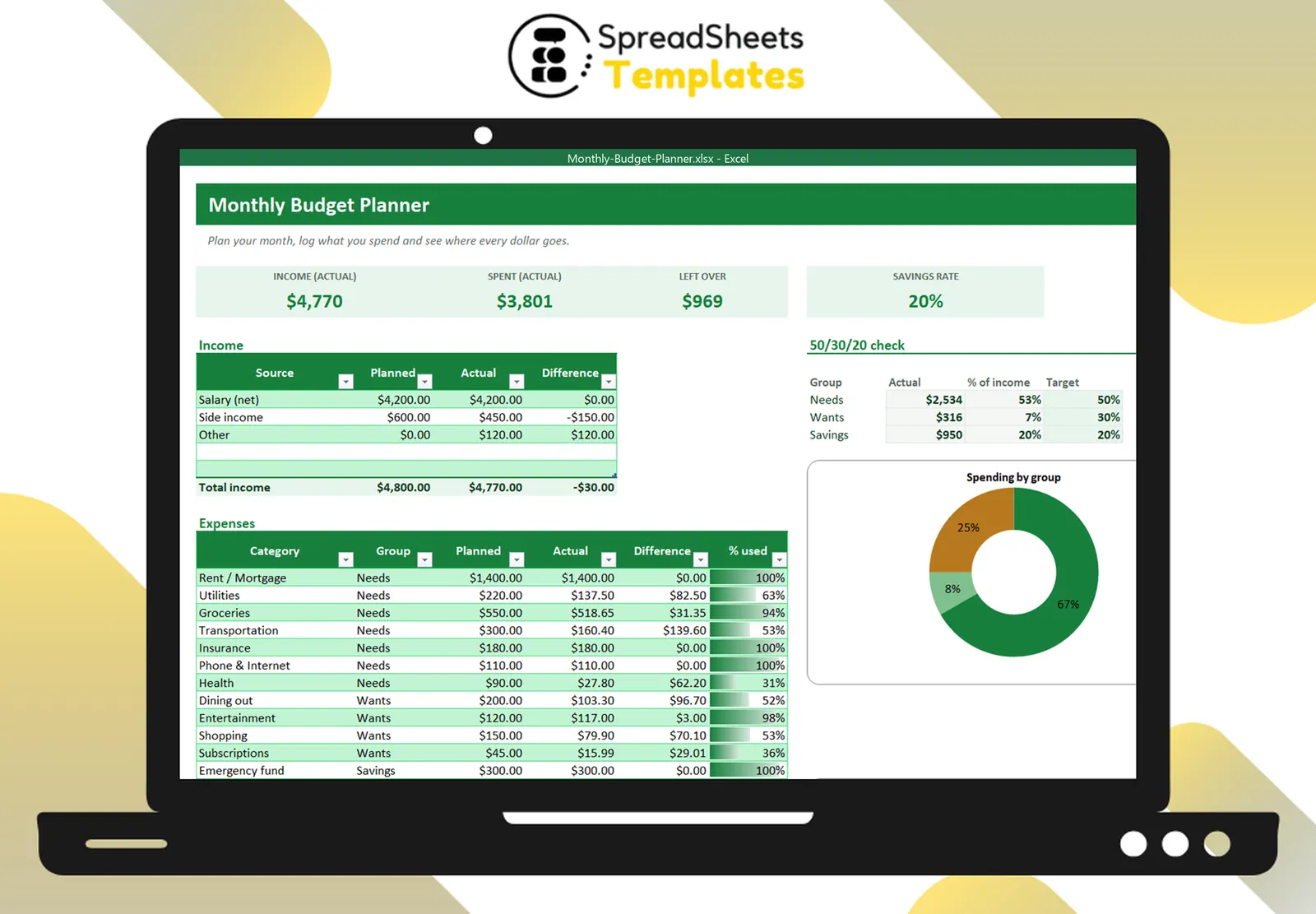
Plan your month, log what you spend in seconds and let Excel compare plan and reality by category — with a 50/30/20 check and charts.
- ⚡ Instant download
- 🔒 Secure checkout by Stripe
- ↩️ 7-day guarantee
Sound familiar?
- Your paycheck disappears and you are not sure where it went
- Budgeting apps want a monthly subscription and access to your bank
- You tried a notebook budget but the math never adds up
The Monthly Budget Planner fixes that in a few minutes, for $2.
What changes when you use it
Plan in 10 minutes
Type your income and how much you want to spend per category. That is your plan for the month.
Log spending as it happens
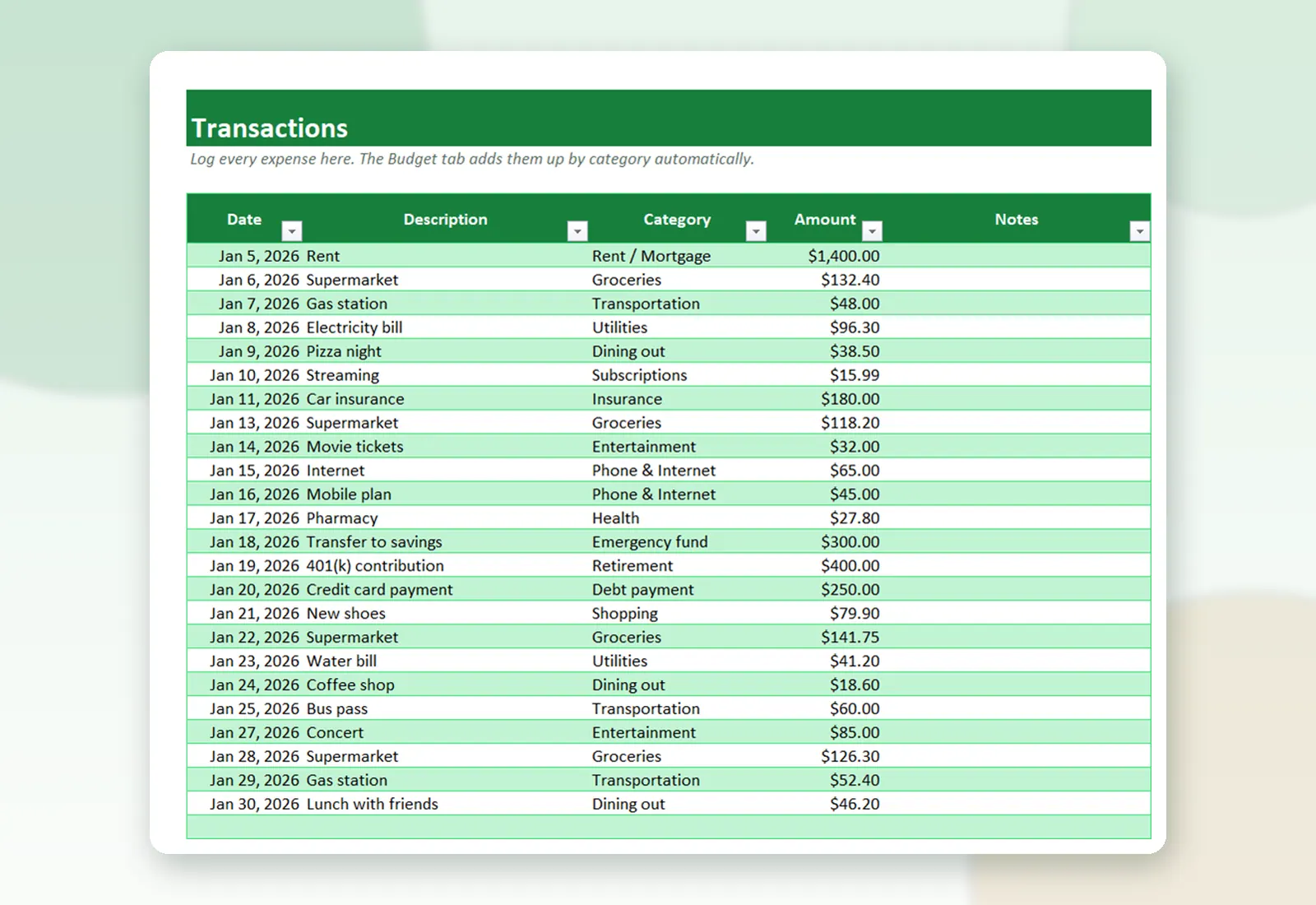
Each expense is one line: date, description, category, amount. The budget updates by itself.
See overspending instantly
Planned vs actual per category, with red numbers when you go over and a % used bar.
Know if your priorities are right
The 50/30/20 box shows how much goes to needs, wants and savings compared with the classic rule.
What's inside the spreadsheet
- Income table with planned, actual and difference
- 14 editable expense categories grouped as Needs, Wants or Savings
- Transactions tab with drop-down categories (150 lines)
- Actual spending per category calculated automatically
- Cards: income, spent, left over and savings rate
- 50/30/20 check with your own targets
- Donut chart by group and planned vs actual bar chart
- Step-by-step How to use tab
Ready in 3 simple steps
Buy securely
Pay $2 once through the secure checkout (Stripe).
Download instantly
Your file is ready right after payment and also arrives in your e-mail.
Fill in and use
Open it in Excel, type your data and let the formulas do the work.
Made for
Everything you get
- Monthly Budget Planner (.xlsx file), 100% editable
- Instant download right after payment, plus the link in your e-mail
- Use it on as many of your own computers as you need
- No subscription and no monthly fees, ever
- Free e-mail support to help you get started
- 7-day money-back guarantee
Works with: Excel 2010 or newer on Windows or Mac · also opens in Google Sheets
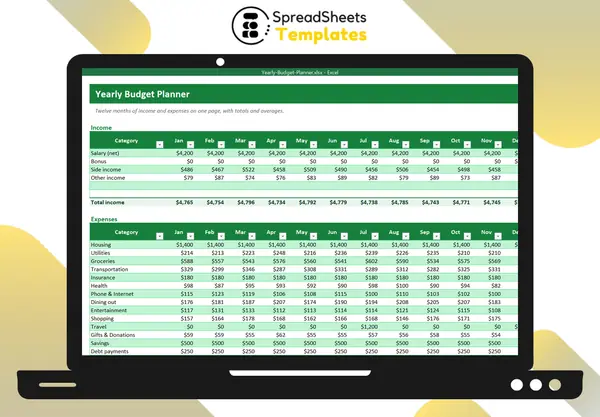 Want the whole year on one page too? See the Yearly Budget Planner.
Monthly Budget Planner
$2
Less than a coffee to finally know where your money goes.
Download nowFrequently asked questions
Do I need to connect my bank?
No. You type your transactions yourself, so your data stays in your file.
Can I change the categories?
Yes. Rename, add or remove categories and choose whether each one is a Need, Want or Savings.
How do I start a new month?
Save a copy of the file for the new month and clear the Transactions tab. The plan stays ready.
How do I receive the spreadsheet?
Right after payment you get the download link on screen and by e-mail. Lost it? Get new links anytime on the "My downloads" page.
Which software do I need?
Microsoft Excel 2010 or newer (including Microsoft 365) on Windows or Mac. It also opens in Google Sheets and LibreOffice, although some formatting may look slightly different.
Can I edit it and add my logo?
Yes. The file is not locked: you can rename labels, add rows and put your own logo in it.
What language is the file in?
English.
Is it a subscription?
No. You pay $2 once and the file is yours to use for as long as you want.
What if it is not what I need?
You have 7 days to try it. If it does not meet your needs, write to us and we will help you, exchange it for another template or refund your payment.
More about the Monthly Budget Planner
Plan your month, log what you spend in seconds and let Excel compare plan and reality by category — with a 50/30/20 check and charts.
What's inside
- Income table with planned, actual and difference
- 14 editable expense categories grouped as Needs, Wants or Savings
- Transactions tab with drop-down categories (150 lines)
- Actual spending per category calculated automatically
- Cards: income, spent, left over and savings rate
- 50/30/20 check with your own targets
- Donut chart by group and planned vs actual bar chart
- Step-by-step How to use tab
Works in Microsoft Excel 2010 or newer (Windows and Mac) and opens in Google Sheets. One-time payment, instant download.
Get organized today for just $2
Download the Monthly Budget Planner now and start using it in minutes.
Download now for $2One-time payment · Instant download · 7-day guarantee