Spot project risks early and see them on a live heat map
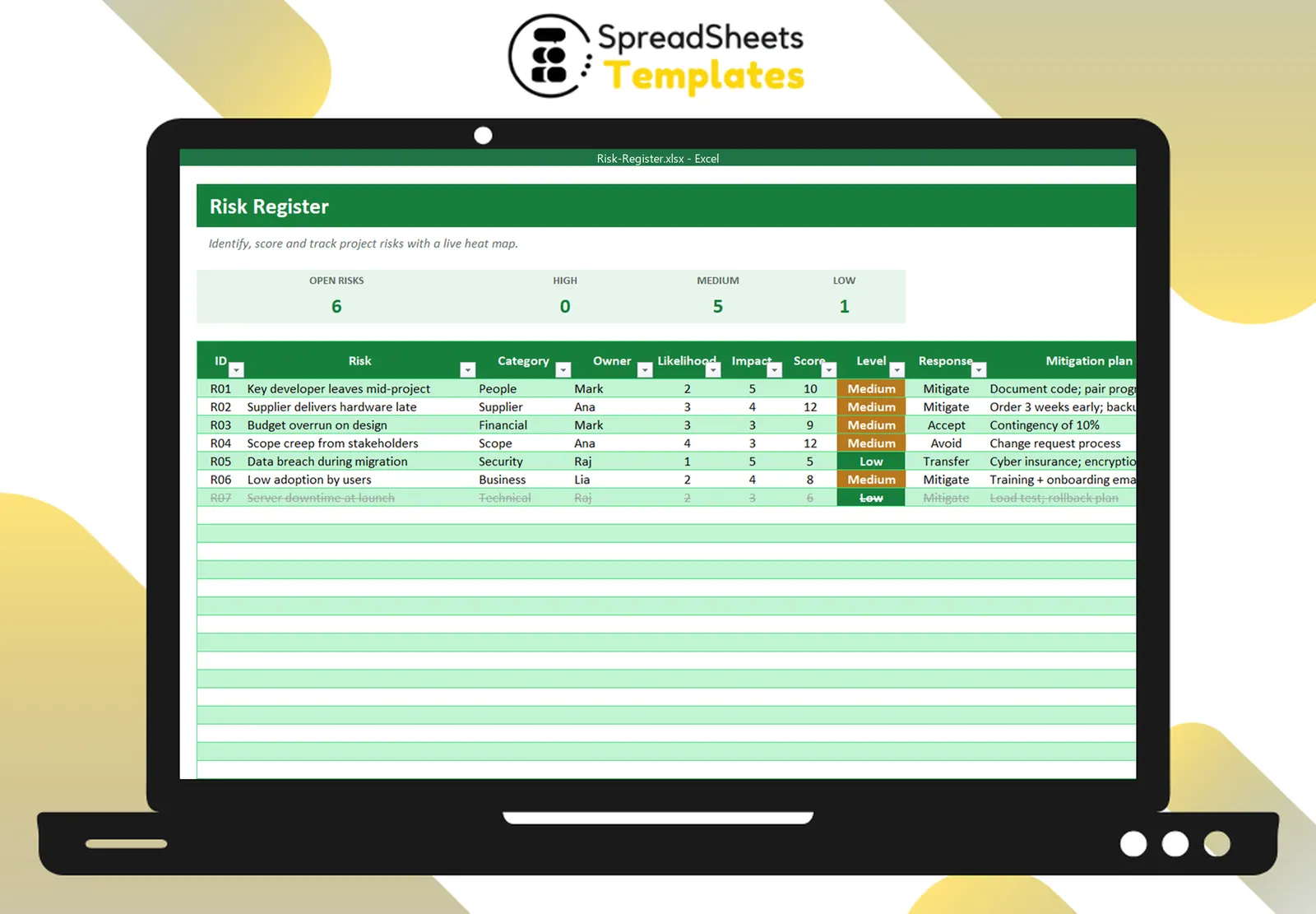
Score each risk for likelihood and impact, choose a response, write the mitigation plan and watch the 5×5 heat map update.
- ⚡ Instant download
- 🔒 Secure checkout by Stripe
- ↩️ 7-day guarantee
Sound familiar?
- Risks are discussed in meetings and then forgotten
- Everyone has a different idea of what is “high risk”
- Stakeholders want to see risk management
The Risk Register fixes that in a few minutes, for $2.
What changes when you use it
One scoring method
Likelihood × impact from 1 to 5 gives a score and a level.
Clear ownership
Every risk has an owner, a response and a mitigation plan.
Live heat map
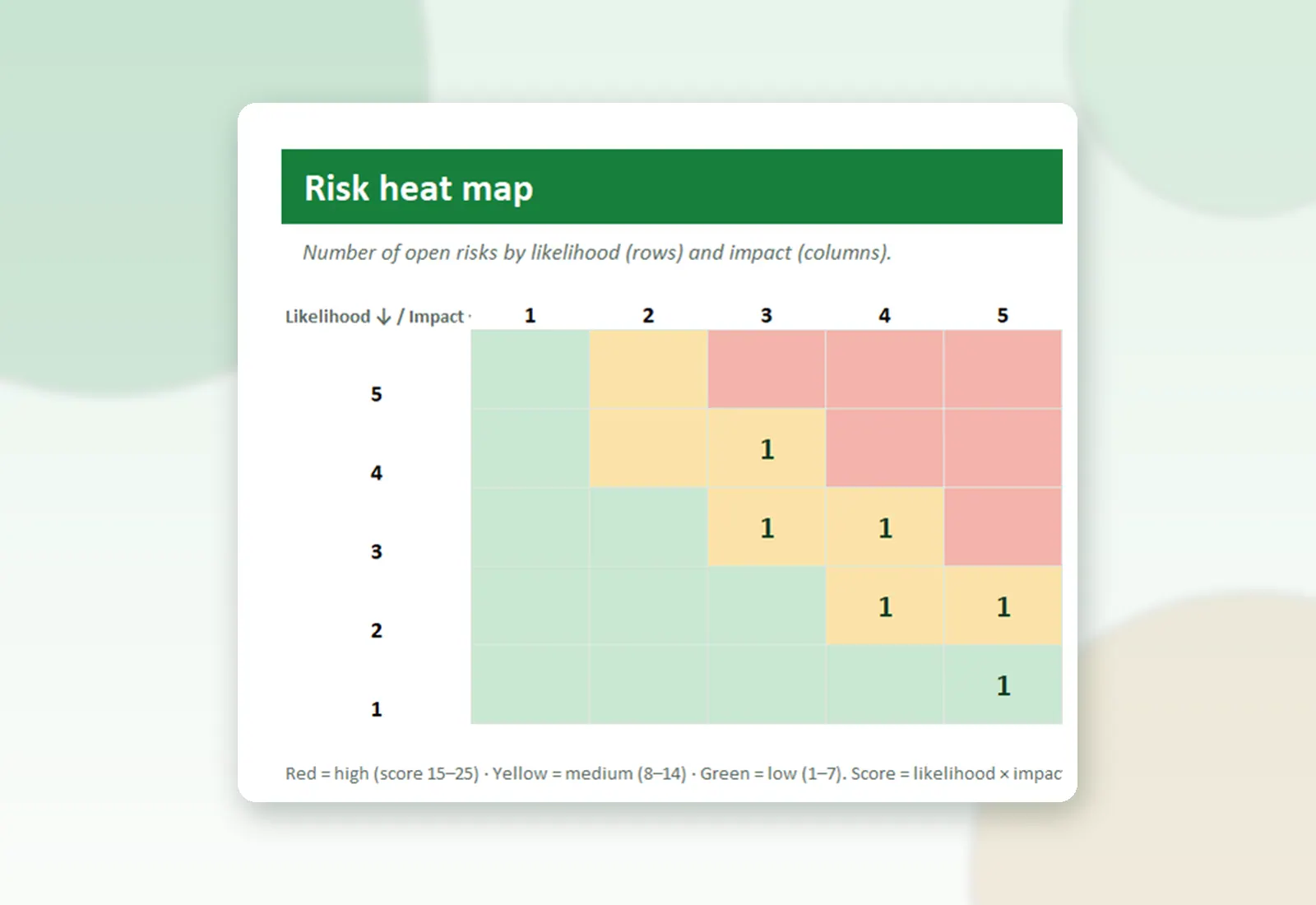
Open risks plotted by likelihood and impact, colored by severity.
Closed risks fade out
They stay on record but leave the counts and the map.
What's inside the spreadsheet
- Risk ID, description, category and owner
- Likelihood and impact 1–5 with drop-downs
- Score and level (High, Medium, Low) with colors
- Response: avoid, mitigate, transfer, accept
- Mitigation plan and status
- Cards: open, high, medium, low
- 5×5 heat map
- How to use tab
Ready in 3 simple steps
Buy securely
Pay $2 once through the secure checkout (Stripe).
Download instantly
Your file is ready right after payment and also arrives in your e-mail.
Fill in and use
Open it in Excel, type your data and let the formulas do the work.
Made for
Everything you get
- Risk Register (.xlsx file), 100% editable
- Instant download right after payment, plus the link in your e-mail
- Use it on as many of your own computers as you need
- No subscription and no monthly fees, ever
- Free e-mail support to help you get started
- 7-day money-back guarantee
Works with: Excel 2010 or newer on Windows or Mac · also opens in Google Sheets
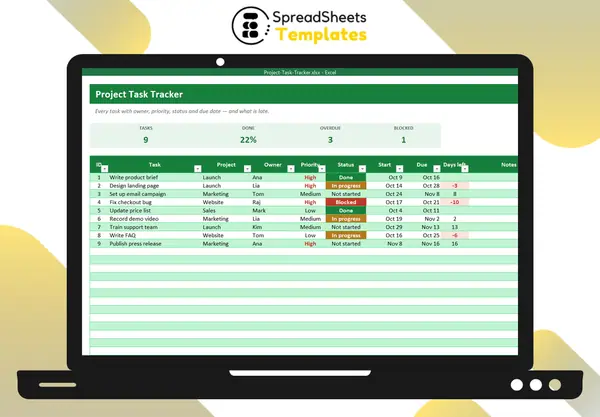 Turn mitigation plans into tasks with the Project Task Tracker.
Risk Register
$2
One risk caught early saves more than $2.
Download nowFrequently asked questions
What score is “high”?
Score 15–25 is high, 8–14 medium, 1–7 low. You can adjust the formula.
Can I add categories?
Yes, edit the drop-down list.
Does it fit PMBOK/PRINCE2?
It follows the common likelihood × impact approach used by both.
How do I receive the spreadsheet?
Right after payment you get the download link on screen and by e-mail. Lost it? Get new links anytime on the "My downloads" page.
Which software do I need?
Microsoft Excel 2010 or newer (including Microsoft 365) on Windows or Mac. It also opens in Google Sheets and LibreOffice, although some formatting may look slightly different.
Can I edit it and add my logo?
Yes. The file is not locked: you can rename labels, add rows and put your own logo in it.
What language is the file in?
English.
Is it a subscription?
No. You pay $2 once and the file is yours to use for as long as you want.
What if it is not what I need?
You have 7 days to try it. If it does not meet your needs, write to us and we will help you, exchange it for another template or refund your payment.
More about the Risk Register
Score each risk for likelihood and impact, choose a response, write the mitigation plan and watch the 5×5 heat map update.
What's inside
- Risk ID, description, category and owner
- Likelihood and impact 1–5 with drop-downs
- Score and level (High, Medium, Low) with colors
- Response: avoid, mitigate, transfer, accept
- Mitigation plan and status
- Cards: open, high, medium, low
- 5×5 heat map
- How to use tab
Works in Microsoft Excel 2010 or newer (Windows and Mac) and opens in Google Sheets. One-time payment, instant download.
Get organized today for just $2
Download the Risk Register now and start using it in minutes.
Download now for $2One-time payment · Instant download · 7-day guarantee