Expense reports done in minutes — mileage, receipts and totals included
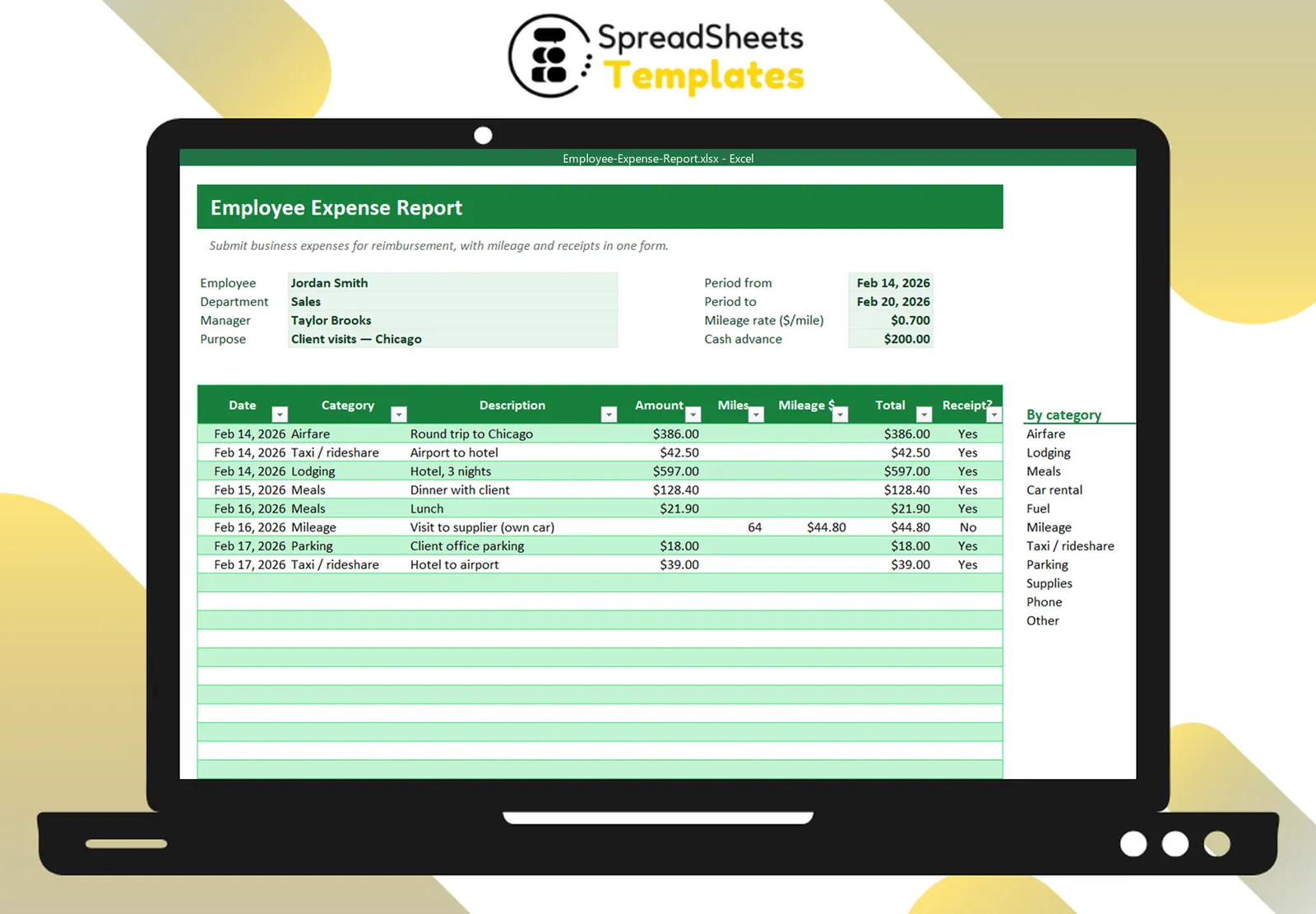
List business expenses by category, add mileage at your rate, subtract the cash advance and get the amount due — ready to print, sign and send.
- ⚡ Instant download
- 🔒 Secure checkout by Stripe
- ↩️ 7-day guarantee
Sound familiar?
- Reimbursements are delayed by messy expense reports
- Calculating mileage by hand
- Managers can’t see totals by category
The Employee Expense Report fixes that in a few minutes, for $2.
What changes when you use it
Everything on one page
Employee, period, purpose and every expense line.
Mileage made easy
Type the miles and the rate does the math.
Advance and amount due
Subtracts the cash advance and shows what the company owes.
Category summary
Airfare, lodging, meals, mileage and more, totaled automatically.
What's inside the spreadsheet
- Employee, department, manager, purpose and period
- Mileage rate and cash advance
- Expense lines with date, category, description, amount, miles, receipt
- Mileage amount and line totals
- Totals and amount due to employee
- Summary by category
- Signature and approval lines
- How to use tab
Ready in 3 simple steps
Buy securely
Pay $2 once through the secure checkout (Stripe).
Download instantly
Your file is ready right after payment and also arrives in your e-mail.
Fill in and use
Open it in Excel, type your data and let the formulas do the work.
Made for
Everything you get
- Employee Expense Report (.xlsx file), 100% editable
- Instant download right after payment, plus the link in your e-mail
- Use it on as many of your own computers as you need
- No subscription and no monthly fees, ever
- Free e-mail support to help you get started
- 7-day money-back guarantee
Works with: Excel 2010 or newer on Windows or Mac · also opens in Google Sheets
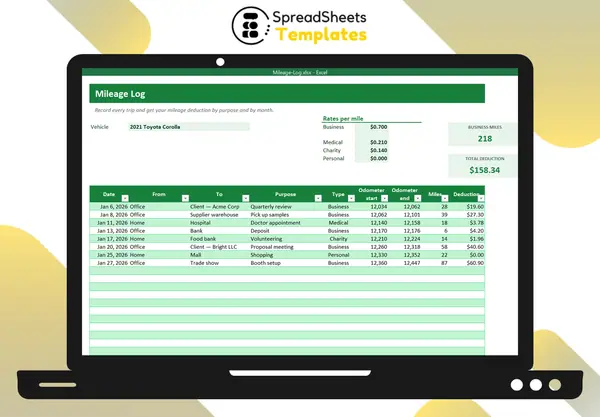 Driving a lot? Keep a full Mileage Log.
Employee Expense Report
$2
Get your money back faster for less than a sandwich.
Download nowFrequently asked questions
Which mileage rate should I use?
The default is $0.70/mile (IRS 2025 business rate). Change it to your company’s rate.
Can I use it for a whole month?
Yes. Set the period and list all expenses.
Can I attach receipts?
Mark each receipt in the file and send the receipts together (or scan them into a PDF).
How do I receive the spreadsheet?
Right after payment you get the download link on screen and by e-mail. Lost it? Get new links anytime on the "My downloads" page.
Which software do I need?
Microsoft Excel 2010 or newer (including Microsoft 365) on Windows or Mac. It also opens in Google Sheets and LibreOffice, although some formatting may look slightly different.
Can I edit it and add my logo?
Yes. The file is not locked: you can rename labels, add rows and put your own logo in it.
What language is the file in?
English.
Is it a subscription?
No. You pay $2 once and the file is yours to use for as long as you want.
What if it is not what I need?
You have 7 days to try it. If it does not meet your needs, write to us and we will help you, exchange it for another template or refund your payment.
More about the Employee Expense Report
List business expenses by category, add mileage at your rate, subtract the cash advance and get the amount due — ready to print, sign and send.
What's inside
- Employee, department, manager, purpose and period
- Mileage rate and cash advance
- Expense lines with date, category, description, amount, miles, receipt
- Mileage amount and line totals
- Totals and amount due to employee
- Summary by category
- Signature and approval lines
- How to use tab
Works in Microsoft Excel 2010 or newer (Windows and Mac) and opens in Google Sheets. One-time payment, instant download.
Get organized today for just $2
Download the Employee Expense Report now and start using it in minutes.
Download now for $2One-time payment · Instant download · 7-day guarantee