Meeting minutes people actually read — with actions that get done
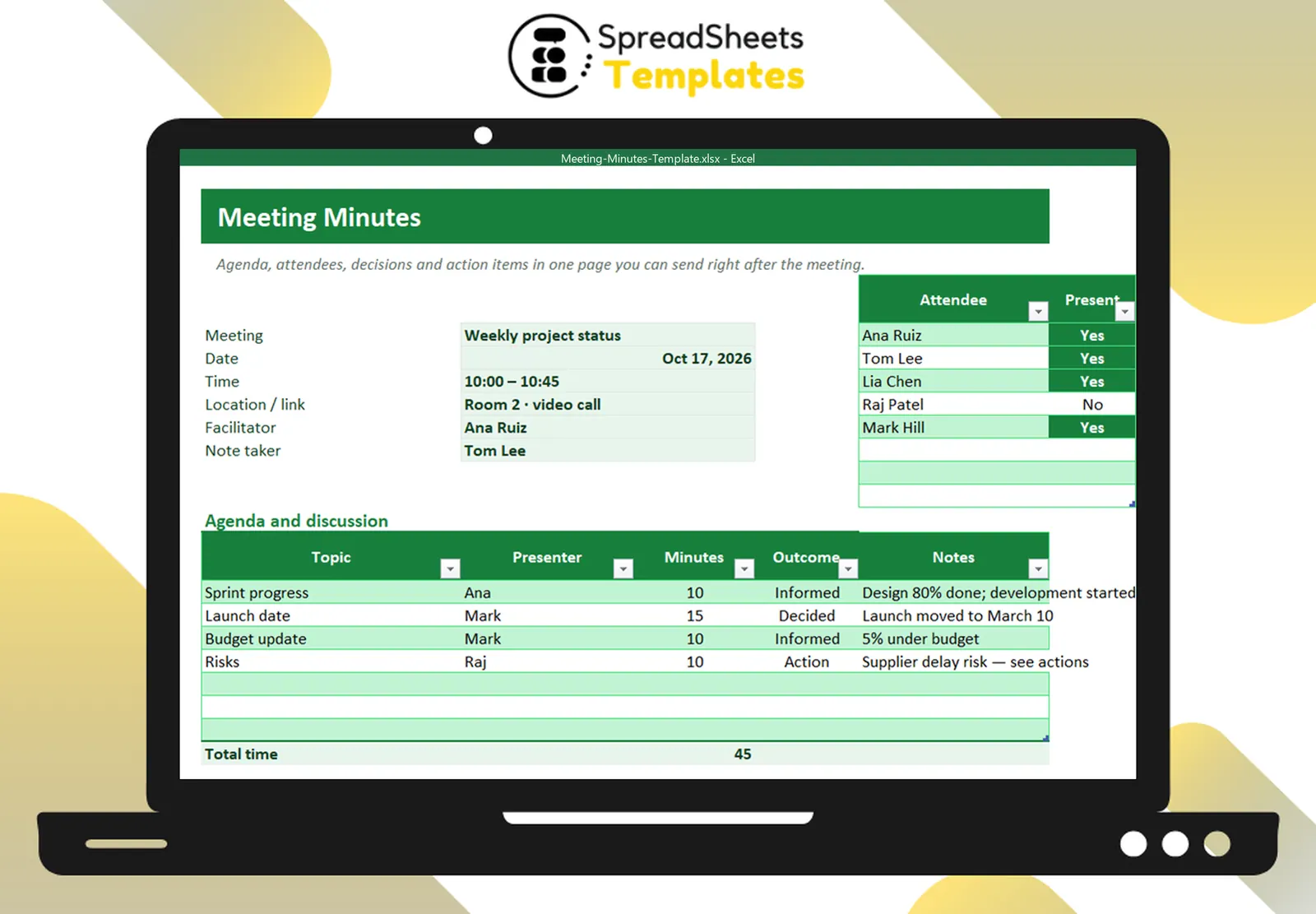
Agenda, attendees, decisions and action items with owners and due dates on one page you can send right after the meeting.
- ⚡ Instant download
- 🔒 Secure checkout by Stripe
- ↩️ 7-day guarantee
Sound familiar?
- Meetings end and nobody remembers what was decided
- Action items have no owner or date
- Writing minutes takes longer than the meeting
The Meeting Minutes Template fixes that in a few minutes, for $2.
What changes when you use it
Structured in minutes
Details, attendees, agenda, decisions and actions in fixed places.
Clear outcomes
Each topic marked as informed, decided, action or postponed.
Actions with owners
Every action has an owner, a due date and a status.
Send right away
Export to PDF and share immediately.
What's inside the spreadsheet
- Meeting, date, time, location, facilitator, note taker
- Attendees with present flag
- Agenda with presenter, minutes, outcome and notes
- Total meeting time
- Decisions list
- Action items with owner, due date and status
- Overdue actions in red
- Next meeting date
Ready in 3 simple steps
Buy securely
Pay $2 once through the secure checkout (Stripe).
Download instantly
Your file is ready right after payment and also arrives in your e-mail.
Fill in and use
Open it in Excel, type your data and let the formulas do the work.
Made for
Everything you get
- Meeting Minutes Template (.xlsx file), 100% editable
- Instant download right after payment, plus the link in your e-mail
- Use it on as many of your own computers as you need
- No subscription and no monthly fees, ever
- Free e-mail support to help you get started
- 7-day money-back guarantee
Works with: Excel 2010 or newer on Windows or Mac · also opens in Google Sheets
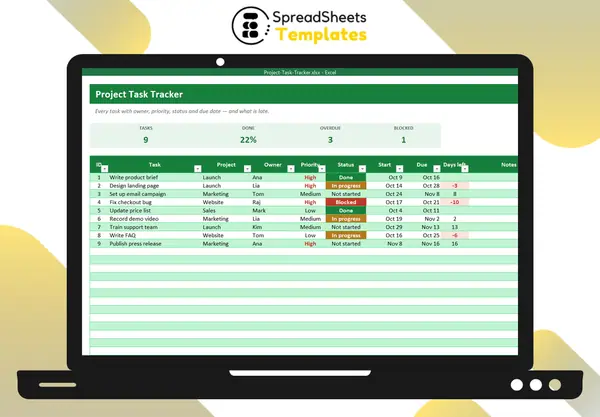 Move action items into the Project Task Tracker.
Meeting Minutes Template
$2
Make every meeting count for $2.
Download nowFrequently asked questions
One file per meeting?
Save a copy per meeting or duplicate the tab.
Can I print it?
Yes, it fits a landscape page.
Does it work for recurring meetings?
Yes — copy last week’s file and update the actions.
How do I receive the spreadsheet?
Right after payment you get the download link on screen and by e-mail. Lost it? Get new links anytime on the "My downloads" page.
Which software do I need?
Microsoft Excel 2010 or newer (including Microsoft 365) on Windows or Mac. It also opens in Google Sheets and LibreOffice, although some formatting may look slightly different.
Can I edit it and add my logo?
Yes. The file is not locked: you can rename labels, add rows and put your own logo in it.
What language is the file in?
English.
Is it a subscription?
No. You pay $2 once and the file is yours to use for as long as you want.
What if it is not what I need?
You have 7 days to try it. If it does not meet your needs, write to us and we will help you, exchange it for another template or refund your payment.
More about the Meeting Minutes Template
Agenda, attendees, decisions and action items with owners and due dates on one page you can send right after the meeting.
What's inside
- Meeting, date, time, location, facilitator, note taker
- Attendees with present flag
- Agenda with presenter, minutes, outcome and notes
- Total meeting time
- Decisions list
- Action items with owner, due date and status
- Overdue actions in red
- Next meeting date
Works in Microsoft Excel 2010 or newer (Windows and Mac) and opens in Google Sheets. One-time payment, instant download.
Get organized today for just $2
Download the Meeting Minutes Template now and start using it in minutes.
Download now for $2One-time payment · Instant download · 7-day guarantee