Project task list in Excel: every task, phase and deadline under control
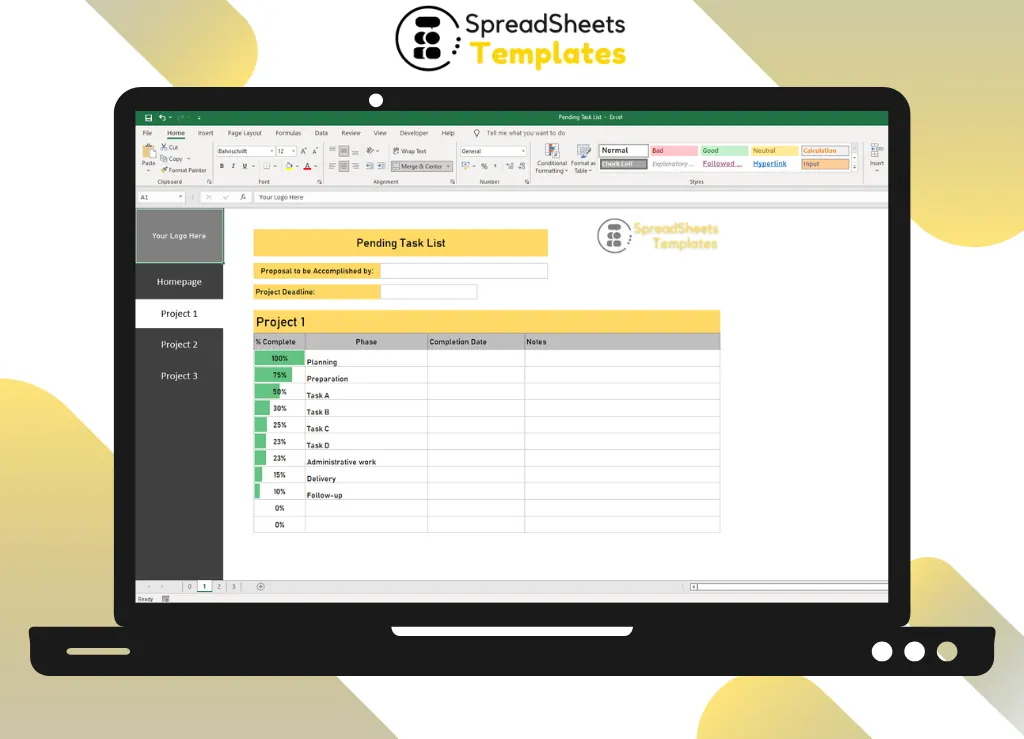
Track up to three projects side by side, with tasks grouped by phase, % complete and completion dates highlighted in color.
- ⚡ Instant download
- 🔒 Secure checkout by Stripe
- ↩️ 7-day guarantee
Sound familiar?
- Tasks get forgotten until the deadline hits
- You can't tell at a glance how far each project is
- Your to-do list is spread across apps, e-mails and sticky notes
The Pending Task List fixes that in a few minutes, for $2.
What changes when you use it
Nothing falls through the cracks
Each task lives under its phase: planning, preparation, admin work, delivery and follow-up.
Progress at a glance
% complete with color highlights shows what's on track.
Deadlines in sight
Project deadline and completion date for every task.
Easy to share
One file you can send to the team or the client.
What's inside the spreadsheet
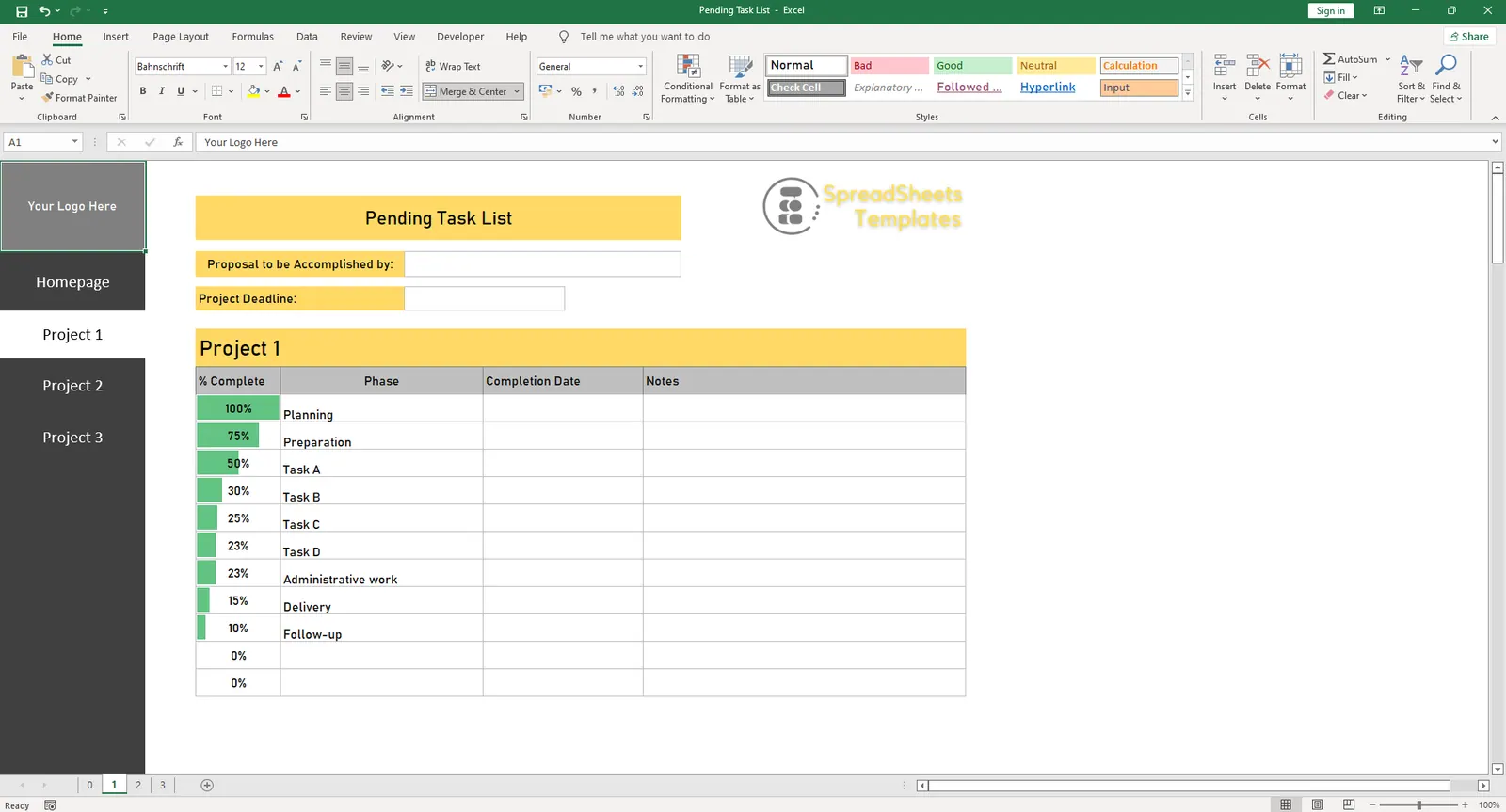
- 3 ready project sheets with menu buttons
- Project owner and deadline
- Tasks grouped in 5 phases
- % complete with color highlights
- Completion date
- Notes for each task
Ready in 3 simple steps
Buy securely
Pay $2 once through the secure checkout (Stripe).
Download instantly
Your file is ready right after payment and also arrives in your e-mail.
Fill in and use
Open it in Excel, type your data and let the formulas do the work.
Made for
Everything you get
- Pending Task List (.xlsx file), 100% editable
- Instant download right after payment, plus the link in your e-mail
- Use it on as many of your own computers as you need
- No subscription and no monthly fees, ever
- Free e-mail support to help you get started
- 7-day money-back guarantee
Works with: Excel 2010 or newer on Windows or Mac · also opens in Google Sheets
Pending Task List
$2
Less than a coffee to stop missing deadlines.
Download nowFrequently asked questions
Can I use it for personal tasks?
Yes. Rename the projects and phases to anything you like.
Can I add more projects?
Yes. Duplicate a project sheet to create as many as you need.
How do I receive the spreadsheet?
Right after payment you get the download link on screen and by e-mail. Lost it? Get new links anytime on the "My downloads" page.
Which software do I need?
Microsoft Excel 2010 or newer (including Microsoft 365) on Windows or Mac. It also opens in Google Sheets and LibreOffice, although some formatting may look slightly different.
Can I edit it and add my logo?
Yes. The file is not locked: you can rename labels, add rows and put your own logo in it.
What language is the file in?
English.
Is it a subscription?
No. You pay $2 once and the file is yours to use for as long as you want.
What if it is not what I need?
You have 7 days to try it. If it does not meet your needs, write to us and we will help you, exchange it for another template or refund your payment.
More about the Pending Task List
If you need to keep track of your daily tasks then the Pending Task List worksheet will help you achieve your goal.
For a large number of tasks to be processed, due to the accumulation of continuously collected data, we know that managing them is complicated. With this comes the Pending Tasks Excel Worksheet.
Therefore, the team must have optimized management and task control to align the team with the company's needs and goals, which is very important.
Therefore, the Pending Project Tasks Excel Spreadsheet in Excel is fundamental in this control.
It's Easy to Learn Excel
Excel is a universal and well known language, practically everyone who has worked in companies has had some contact with an Excel spreadsheet. As it is the most used tool in the world by companies, as well as there is a lot of free information on the internet about how to use Excel.
You Have Total Control of the Worksheet
If you want to change something in the system, you will need to hire a developer, and usually the cost is high. But Excel Sheets you can change them whenever you want, as well as at little or no cost.
Get organized today for just $2
Download the Pending Task List now and start using it in minutes.
Download now for $2One-time payment · Instant download · 7-day guarantee