Know exactly how much to save each month to hit every goal on time
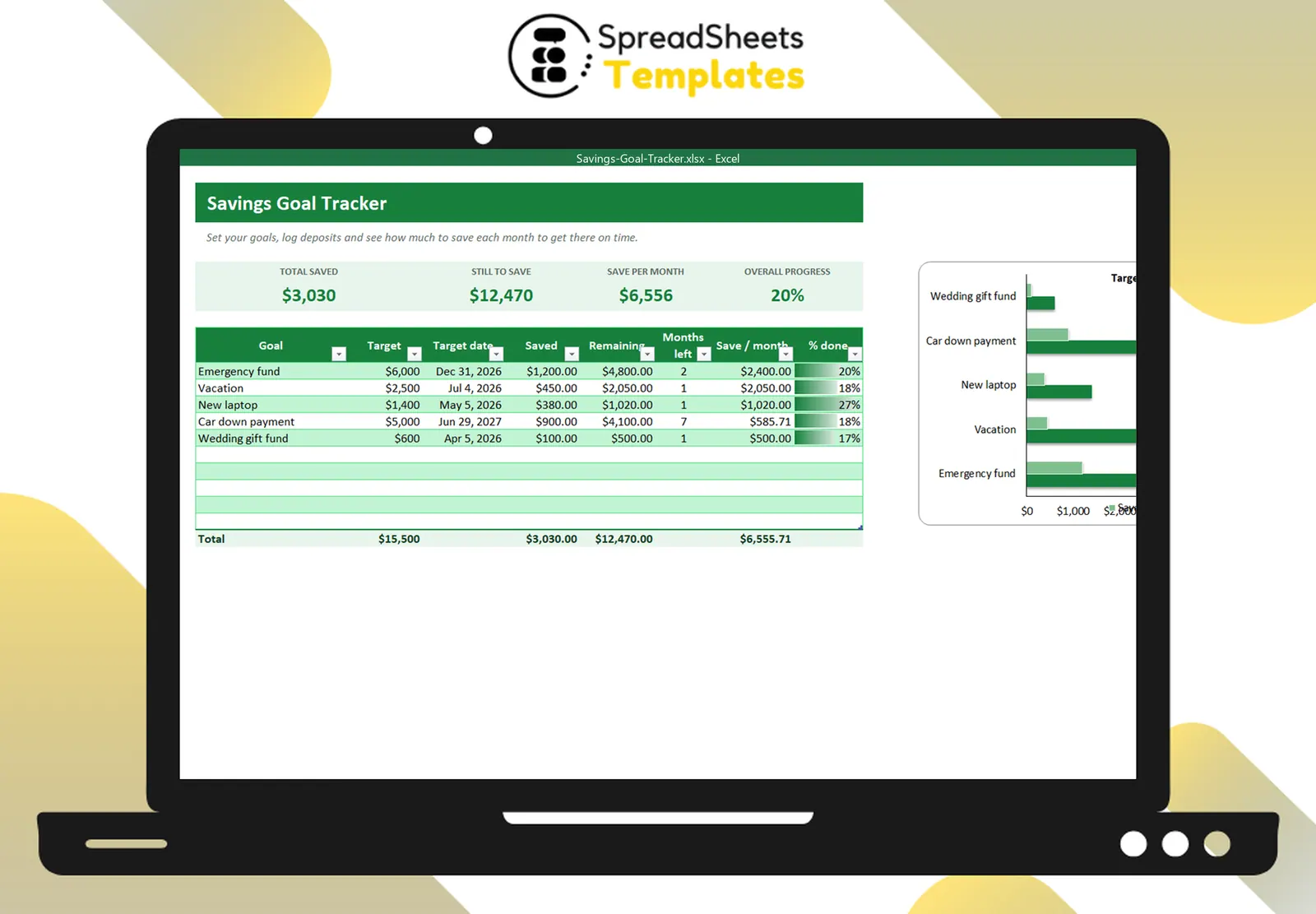
Set your goals and dates, log your deposits and watch the progress bars fill — the spreadsheet tells you the monthly amount for each goal.
- ⚡ Instant download
- 🔒 Secure checkout by Stripe
- ↩️ 7-day guarantee
Sound familiar?
- You save “what is left” and it is never enough
- Several goals compete for the same money
- You don’t know if you are on track for the date you set
The Savings Goal Tracker fixes that in a few minutes, for $2.
What changes when you use it
One place for every goal
Emergency fund, vacation, car, laptop — each with its target and date.
The exact monthly amount
Remaining amount ÷ months left, recalculated every time you open the file.
Progress that motivates
Percentage done with progress bars and a target-vs-saved chart.
Deposits in seconds
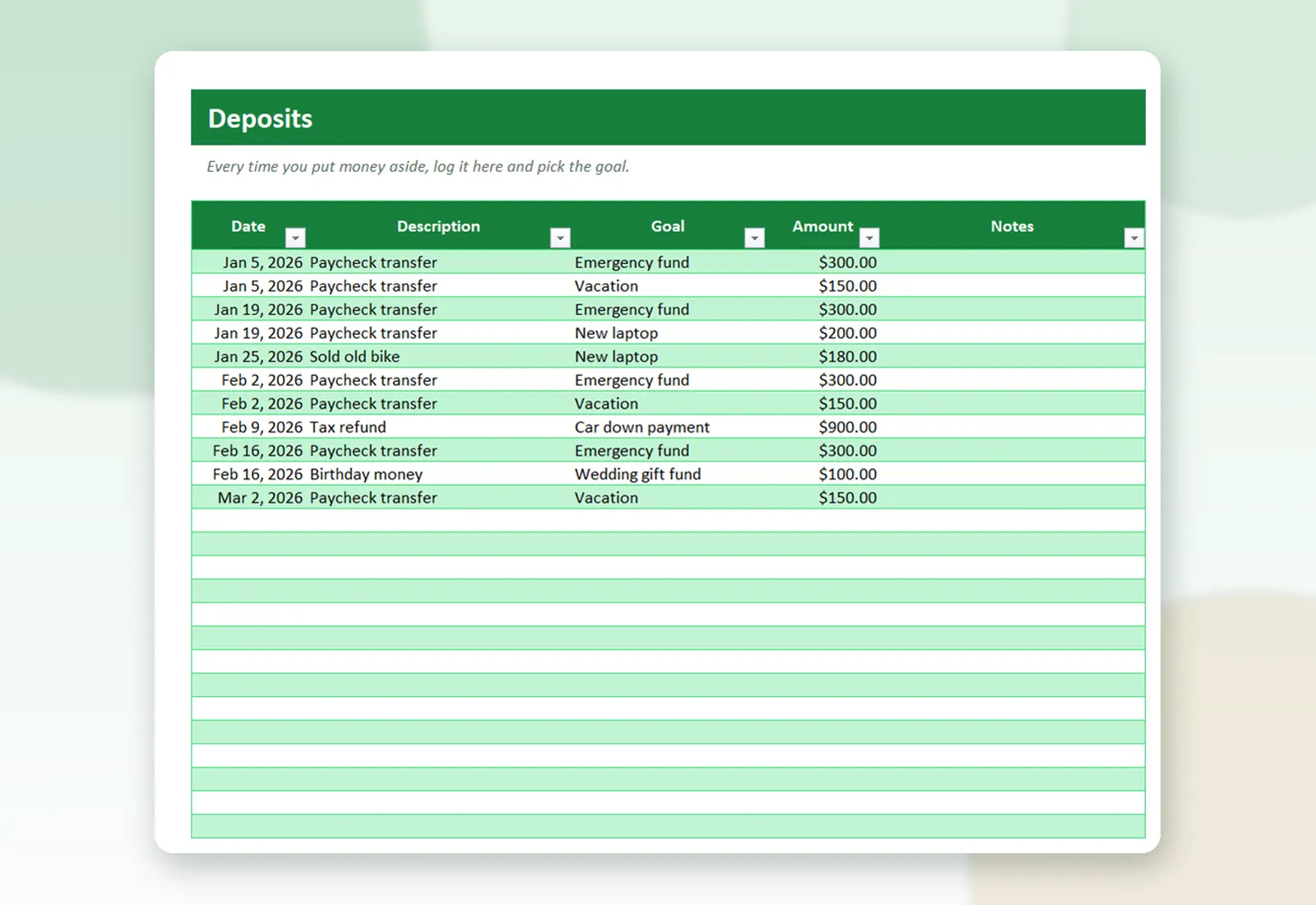
Log each transfer and pick the goal from a list.
What's inside the spreadsheet
- Goals with target amount and target date
- Saved so far from your deposits
- Remaining amount and months left
- Amount to save per month for each goal
- % done with progress bars
- Cards: total saved, still to save, per month, overall progress
- Deposits tab with drop-down goals
- Target vs saved chart
Ready in 3 simple steps
Buy securely
Pay $2 once through the secure checkout (Stripe).
Download instantly
Your file is ready right after payment and also arrives in your e-mail.
Fill in and use
Open it in Excel, type your data and let the formulas do the work.
Made for
Everything you get
- Savings Goal Tracker (.xlsx file), 100% editable
- Instant download right after payment, plus the link in your e-mail
- Use it on as many of your own computers as you need
- No subscription and no monthly fees, ever
- Free e-mail support to help you get started
- 7-day money-back guarantee
Works with: Excel 2010 or newer on Windows or Mac · also opens in Google Sheets
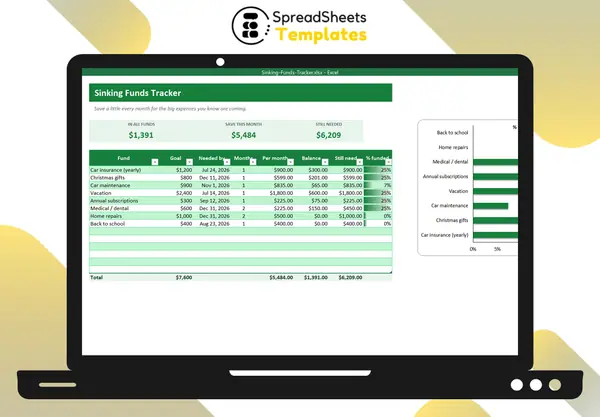 Saving for yearly bills too? See the Sinking Funds Tracker.
Savings Goal Tracker
$2
Less than a coffee to finally reach the goals you keep postponing.
Download nowFrequently asked questions
Can I record withdrawals?
Yes. Type a negative amount in Deposits.
Do goals need a date?
The date is what calculates the monthly amount. Use a realistic one.
Can I keep all goals in one bank account?
Yes. The file tracks how much of your savings belongs to each goal.
How do I receive the spreadsheet?
Right after payment you get the download link on screen and by e-mail. Lost it? Get new links anytime on the "My downloads" page.
Which software do I need?
Microsoft Excel 2010 or newer (including Microsoft 365) on Windows or Mac. It also opens in Google Sheets and LibreOffice, although some formatting may look slightly different.
Can I edit it and add my logo?
Yes. The file is not locked: you can rename labels, add rows and put your own logo in it.
What language is the file in?
English.
Is it a subscription?
No. You pay $2 once and the file is yours to use for as long as you want.
What if it is not what I need?
You have 7 days to try it. If it does not meet your needs, write to us and we will help you, exchange it for another template or refund your payment.
More about the Savings Goal Tracker
Set your goals and dates, log your deposits and watch the progress bars fill — the spreadsheet tells you the monthly amount for each goal.
What's inside
- Goals with target amount and target date
- Saved so far from your deposits
- Remaining amount and months left
- Amount to save per month for each goal
- % done with progress bars
- Cards: total saved, still to save, per month, overall progress
- Deposits tab with drop-down goals
- Target vs saved chart
Works in Microsoft Excel 2010 or newer (Windows and Mac) and opens in Google Sheets. One-time payment, instant download.
Get organized today for just $2
Download the Savings Goal Tracker now and start using it in minutes.
Download now for $2One-time payment · Instant download · 7-day guarantee