Annual sales report template: your sales by product, client and quarter
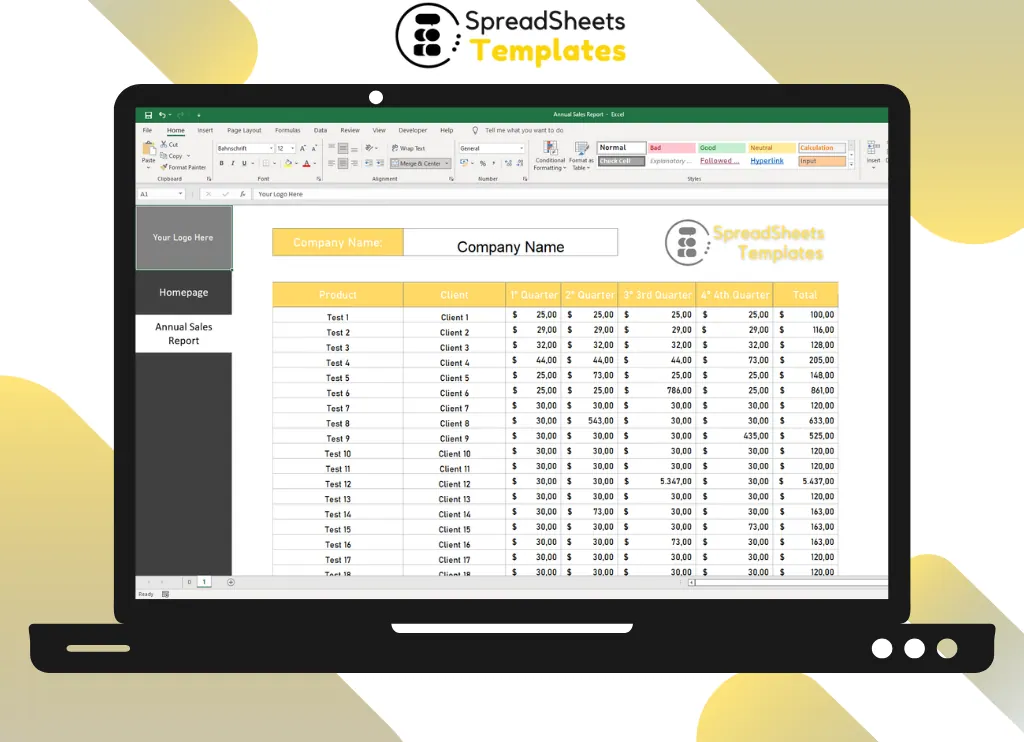
Fill in sales per quarter and get yearly totals in a clean report you can present to partners or your team.
- ⚡ Instant download
- 🔒 Secure checkout by Stripe
- ↩️ 7-day guarantee
Sound familiar?
- Sales data is scattered across invoices and e-mails
- You don't know which products and clients really sell the most
- Every year you rebuild the report from scratch
The Annual Sales Report fixes that in a few minutes, for $2.
What changes when you use it
See your best sellers
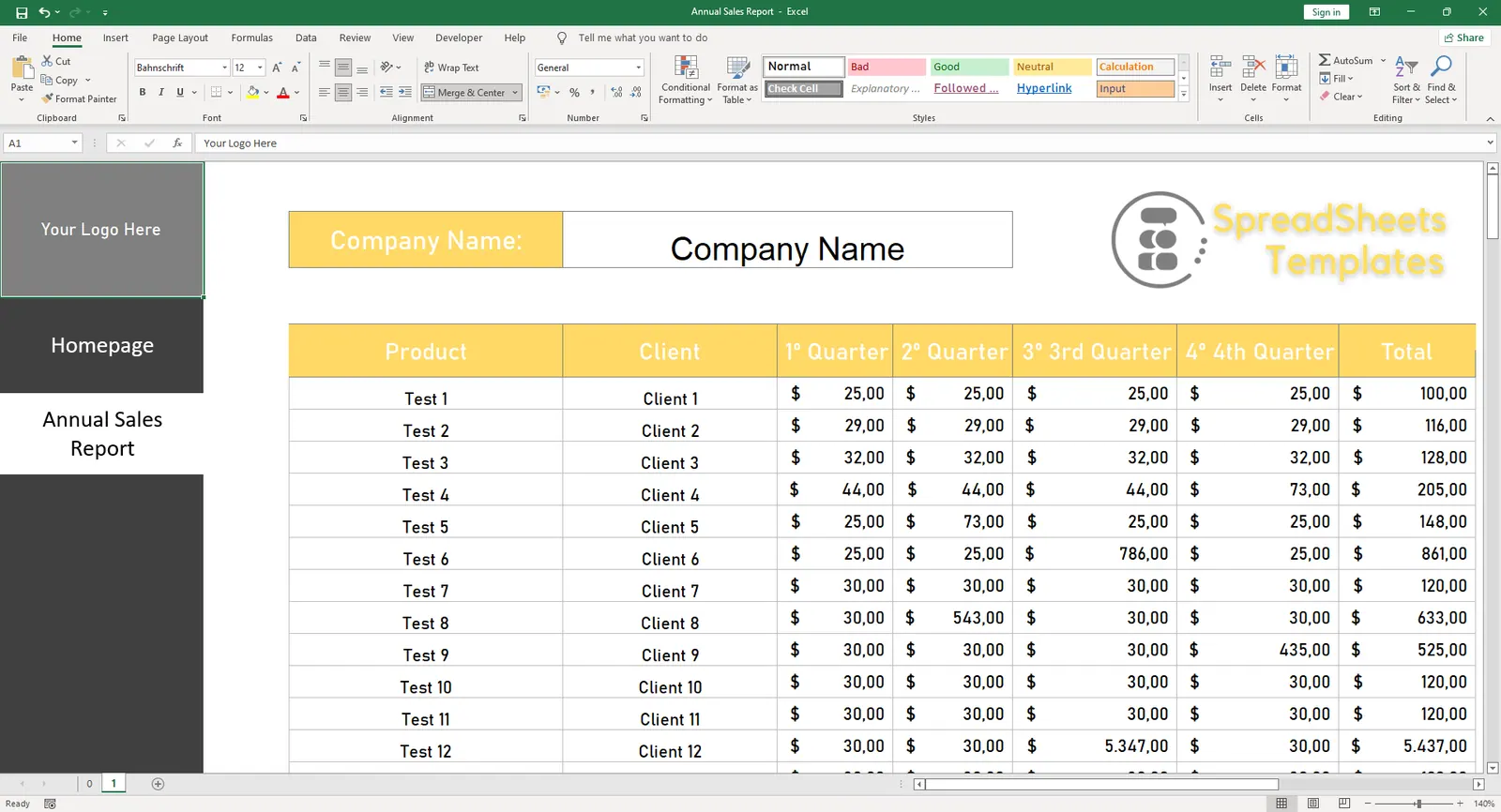
Quarter by quarter totals per product and client.
Totals done for you
Yearly sums calculated automatically.
Ready to present
A clean layout with your company name and logo.
What's inside the spreadsheet
- Company name and logo
- Product and client columns
- 1st to 4th quarter
- Automatic yearly totals
Ready in 3 simple steps
Buy securely
Pay $2 once through the secure checkout (Stripe).
Download instantly
Your file is ready right after payment and also arrives in your e-mail.
Fill in and use
Open it in Excel, type your data and let the formulas do the work.
Made for
Everything you get
- Annual Sales Report (.xlsx file), 100% editable
- Instant download right after payment, plus the link in your e-mail
- Use it on as many of your own computers as you need
- No subscription and no monthly fees, ever
- Free e-mail support to help you get started
- 7-day money-back guarantee
Works with: Excel 2010 or newer on Windows or Mac · also opens in Google Sheets
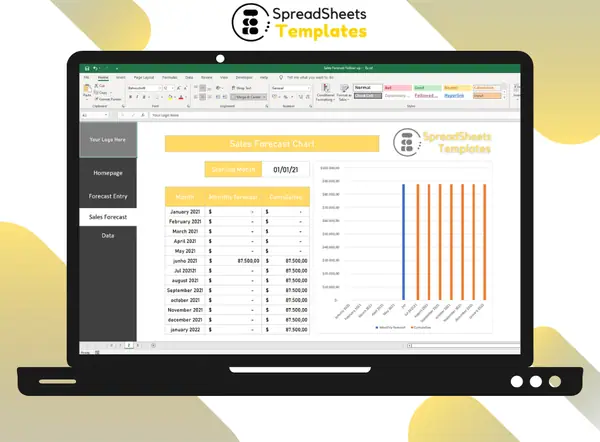 Want to forecast next year's sales? See the Sales Forecast Follow-up.
Annual Sales Report
$2
Less than a coffee for a report you'll reuse every year.
Download nowFrequently asked questions
Can I add more products?
Yes. Insert as many rows as you need.
How do I receive the spreadsheet?
Right after payment you get the download link on screen and by e-mail. Lost it? Get new links anytime on the "My downloads" page.
Which software do I need?
Microsoft Excel 2010 or newer (including Microsoft 365) on Windows or Mac. It also opens in Google Sheets and LibreOffice, although some formatting may look slightly different.
Can I edit it and add my logo?
Yes. The file is not locked: you can rename labels, add rows and put your own logo in it.
What language is the file in?
English.
Is it a subscription?
No. You pay $2 once and the file is yours to use for as long as you want.
What if it is not what I need?
You have 7 days to try it. If it does not meet your needs, write to us and we will help you, exchange it for another template or refund your payment.
More about the Annual Sales Report
The Excel Annual Sales Report Worksheet has functions that help to monitor sales data collection information, and thus collaborate in the manipulation of excess information, gathering and organizing it in an easy-to-view way, allowing better management and help in managing decisions in important events.
Aiming at the difficulty of organizing a report, especially organizing it annually, by the complexity, may commit errors in calculations and generating a bad organization and bad management.
However, this spreadsheet is being made available and will help significantly to monitor sales, enabling visualization of errors, and preventing future failures.
However, it is certain that a control where you can only register sales and do the sum, would be very easy and not very useful, not optimizing the control and setback of sales management, causing expenses and losses.
How to have a good sales control?
To do the sales control you will need to instruct your employees to fill in the commands in a very careful way.
This is because they will be used to confirm the sales volume and also to get a real proof of your earnings.
This way you will be able to compare the data in your spreadsheet with the receipts, and also, if you have a system, check the receipts.
If your system does not do this task of adding up and accounting for total orders and sales control for free, the spreadsheet should help you.
However, your sales control table will only have a good result if it is carried out accurately and constantly.
So don't wait to enter all the sales of the month in one day. This will certainly bring problems at some point.
Losing commands, or even entering numbers without commas or put in the wrong place can make a big difference in your closing.
This usually happens when you are tired of seeing so many numbers. So don't leave it all to do in one day.
Get organized today for just $2
Download the Annual Sales Report now and start using it in minutes.
Download now for $2One-time payment · Instant download · 7-day guarantee