Expiration control worksheet: see what expires in the next 30 days, automatically
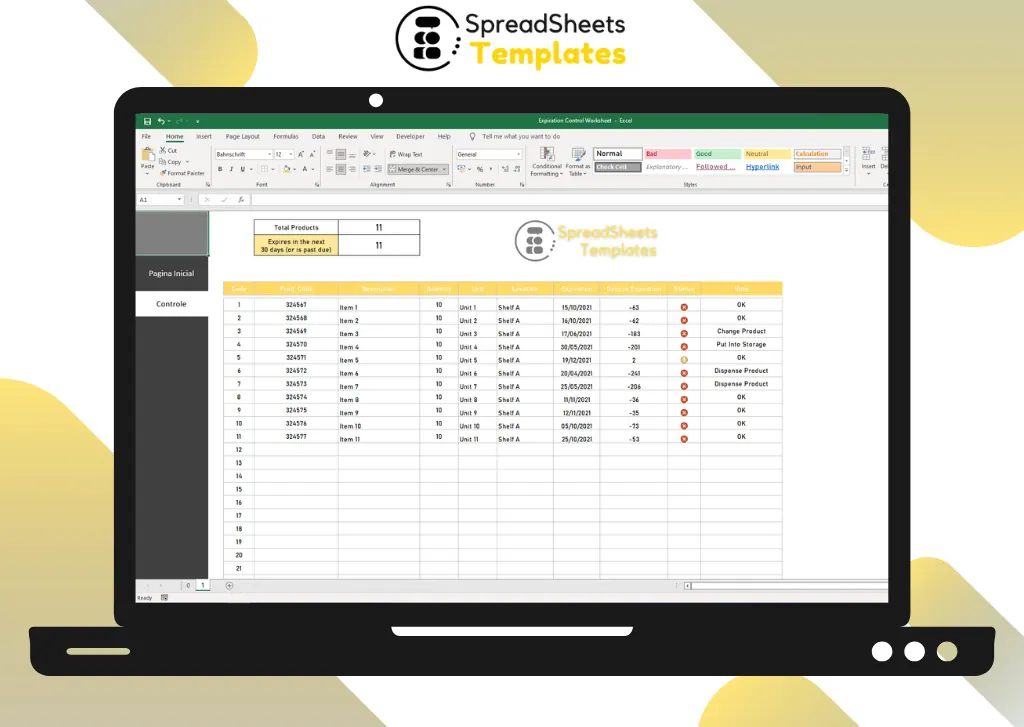
Register your products once. Every time you open the file, Excel counts the days left, flags what is expiring and tells you what to do with each item.
- ⚡ Instant download
- 🔒 Secure checkout by Stripe
- ↩️ 7-day guarantee
Sound familiar?
- Products expire on the shelf before anyone notices
- Money goes in the trash with every batch of spoiled stock
- Checking dates by hand takes hours and still misses items
The Expiration Control Worksheet fixes that in a few minutes, for $2.
What changes when you use it
Stop throwing money away
Spot items close to expiring early enough to sell, move or use them.
A countdown that updates itself
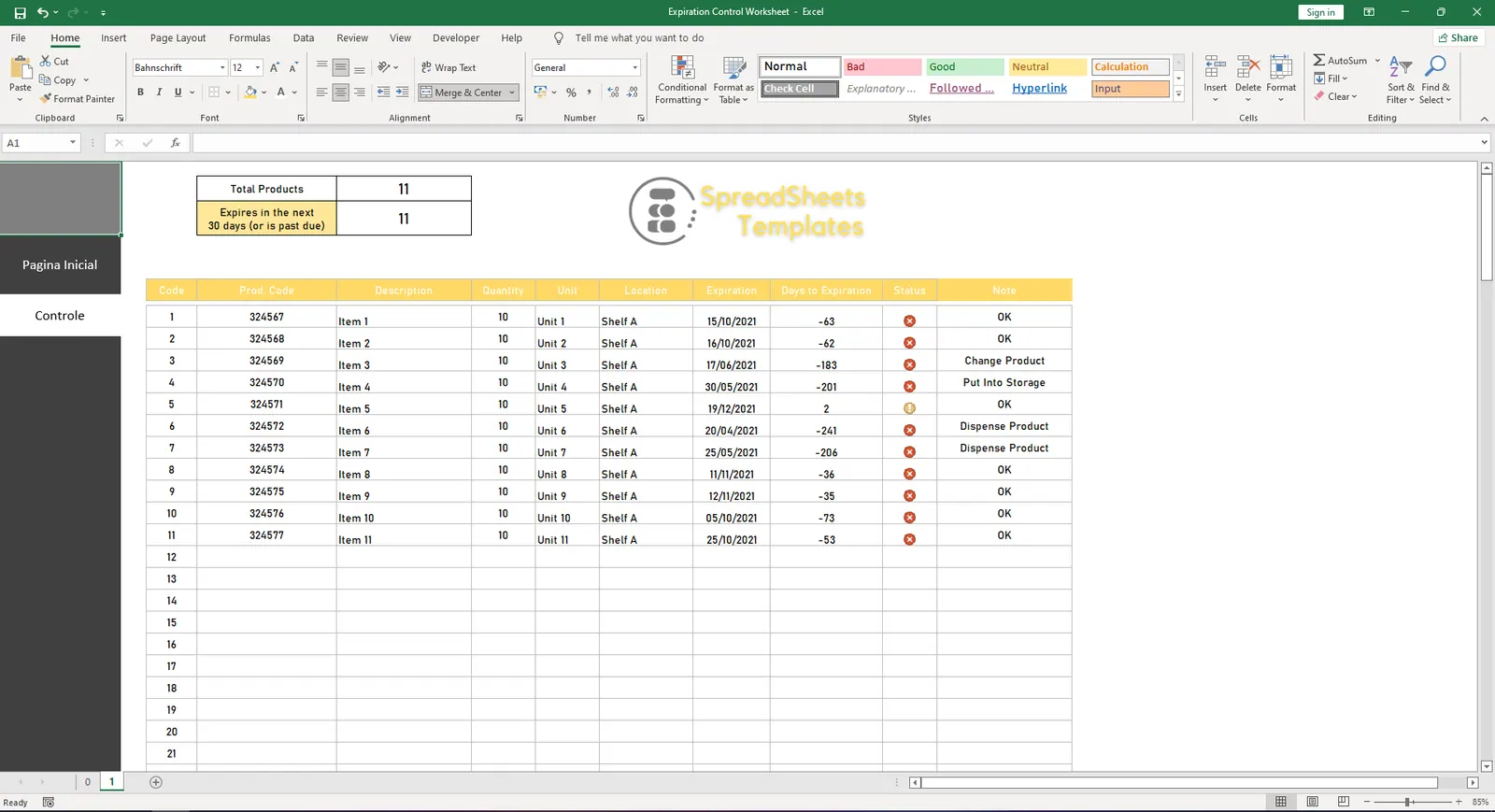
Days to expiration are calculated from today's date every time you open the file.
Know what to do
Each item shows an action: change product, put into storage or dispense.
One number to watch
The header shows how many products expire in the next 30 days or are already past due.
What's inside the spreadsheet
- Code, product code and description
- Quantity, unit and location (shelf)
- Expiration date and automatic days to expiration
- Status with suggested action
- Total products registered
- Products expiring in the next 30 days (or past due)
- Notes field
Ready in 3 simple steps
Buy securely
Pay $2 once through the secure checkout (Stripe).
Download instantly
Your file is ready right after payment and also arrives in your e-mail.
Fill in and use
Open it in Excel, type your data and let the formulas do the work.
Made for
Everything you get
- Expiration Control Worksheet (.xlsx file), 100% editable
- Instant download right after payment, plus the link in your e-mail
- Use it on as many of your own computers as you need
- No subscription and no monthly fees, ever
- Free e-mail support to help you get started
- 7-day money-back guarantee
Works with: Excel 2010 or newer on Windows or Mac · also opens in Google Sheets
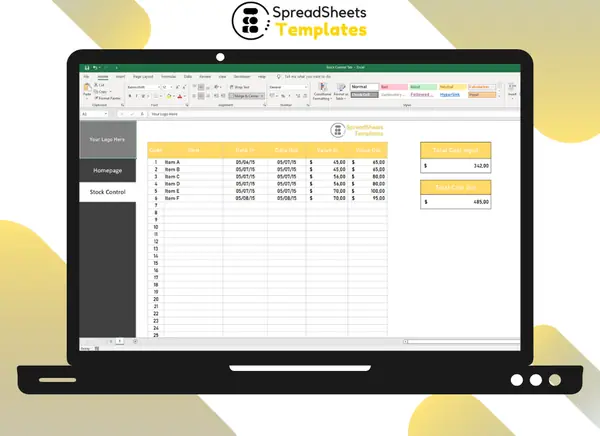 Want to log what comes in and goes out too? See the Stock Control Tab.
Expiration Control Worksheet
$2
Less than a coffee. A single expired box costs more.
Download nowFrequently asked questions
Does it update by itself?
Yes. The days left are calculated from today's date whenever you open the file.
Can I track more than 50 products?
Yes. Copy the last row down to add more lines.
How do I receive the spreadsheet?
Right after payment you get the download link on screen and by e-mail. Lost it? Get new links anytime on the "My downloads" page.
Which software do I need?
Microsoft Excel 2010 or newer (including Microsoft 365) on Windows or Mac. It also opens in Google Sheets and LibreOffice, although some formatting may look slightly different.
Can I edit it and add my logo?
Yes. The file is not locked: you can rename labels, add rows and put your own logo in it.
What language is the file in?
English.
Is it a subscription?
No. You pay $2 once and the file is yours to use for as long as you want.
What if it is not what I need?
You have 7 days to try it. If it does not meet your needs, write to us and we will help you, exchange it for another template or refund your payment.
More about the Expiration Control Worksheet
A good control of product effectiveness can ensure the quality of the quotation and the profitability of the operation, which is critical to the success of the supermarket so we prepared the Free Expiration Control Worksheet in Excel to help you control the validity of your products.
Therefore, managers must always be attentive to strategies that aim to ensure good inventory management and the proper circulation of goods at the point of sale.
The free effectiveness control spreadsheet is designed to help you control the validity of the products controlled by your company.
Although this control seems very simple, therefore, since the expiration date is not disclosed, it should not be ignored after all because everyone does not want to lose the product.
Sending expired items to customers is even worse, so the worksheet for Expiration Control displays product data clearly and simply.
What is the Expiration Control?
Control perishable products to avoid the risk of making mistakes, which can have undesirable consequences for the company, as mentioned above.
In addition, with the help of an electronic form, you will get expiration information 10 days in advance.
It will allow you to take conditional measures to ensure that the turnover of expired materials is close to expiration.
Get organized today for just $2
Download the Expiration Control Worksheet now and start using it in minutes.
Download now for $2One-time payment · Instant download · 7-day guarantee