Simple stock control in Excel: know what came in, what went out and what it cost
Record every stock movement with dates and values, and see the total cost of everything in and out, without setting up an inventory system.
- ⚡ Instant download
- 🔒 Secure checkout by Stripe
- ↩️ 7-day guarantee
Sound familiar?
- You don't know what came in, what went out, or when
- Your stock value is a guess
- Inventory systems are far too complex for a small operation
The Stock Control Tab fixes that in a few minutes, for $2.
What changes when you use it
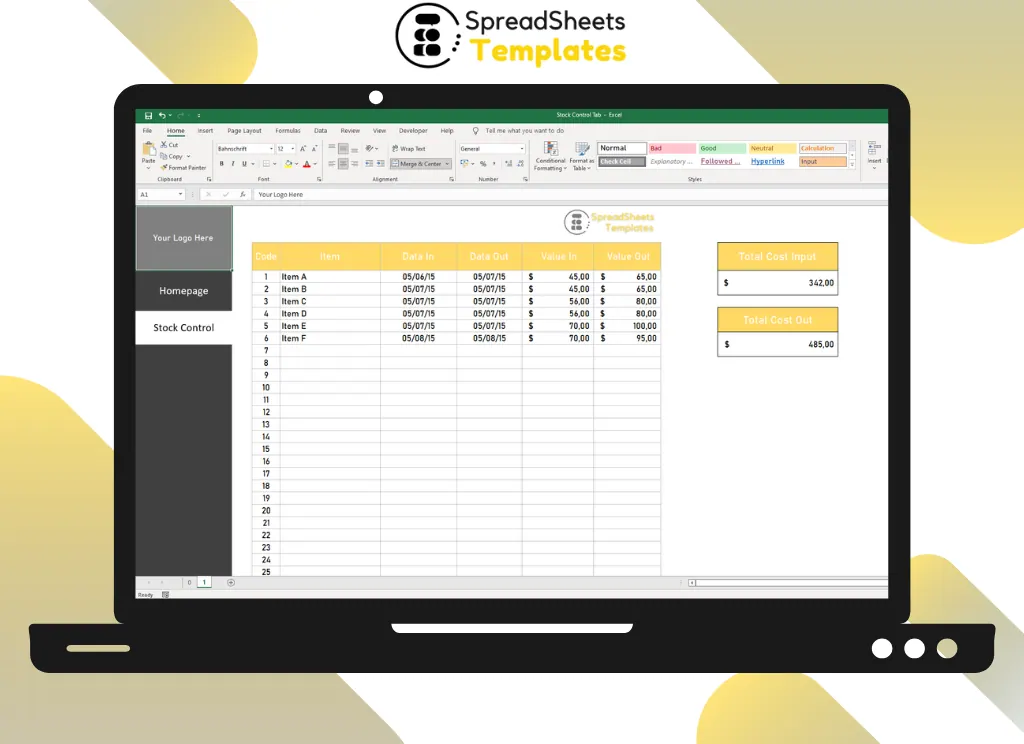
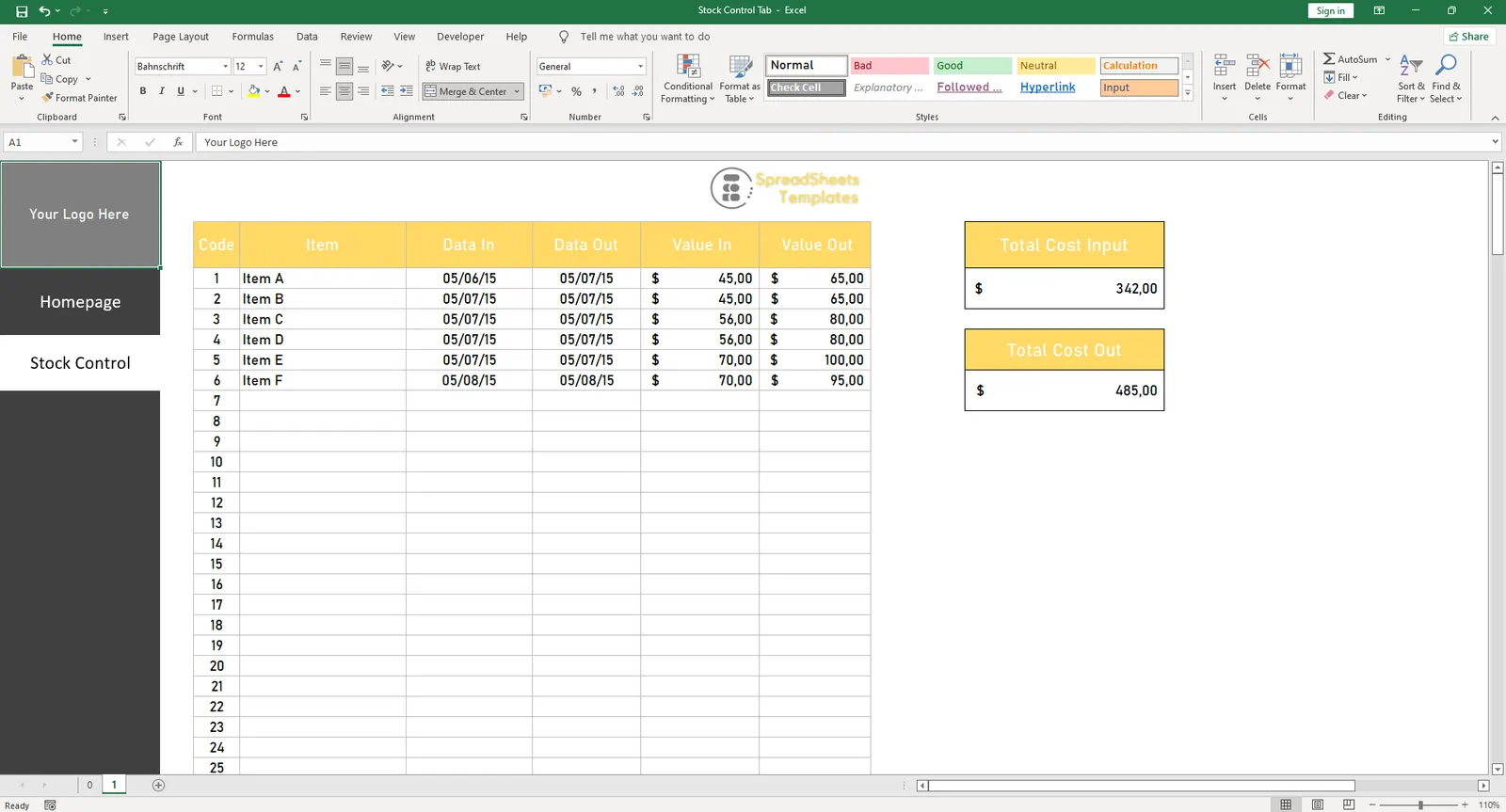
Every movement on record
Item, code, date in and date out on one sheet.
Know your money in stock
Value in, value out and totals calculated automatically.
No learning curve
No setup and no training. Type your items and go.
What's inside the spreadsheet
- Item and code
- Date in and date out
- Value in and value out
- Total cost of inputs
- Total cost of outputs
- Space for your logo
Ready in 3 simple steps
Buy securely
Pay $2 once through the secure checkout (Stripe).
Download instantly
Your file is ready right after payment and also arrives in your e-mail.
Fill in and use
Open it in Excel, type your data and let the formulas do the work.
Made for
Everything you get
- Stock Control Tab (.xlsx file), 100% editable
- Instant download right after payment, plus the link in your e-mail
- Use it on as many of your own computers as you need
- No subscription and no monthly fees, ever
- Free e-mail support to help you get started
- 7-day money-back guarantee
Works with: Excel 2010 or newer on Windows or Mac · also opens in Google Sheets
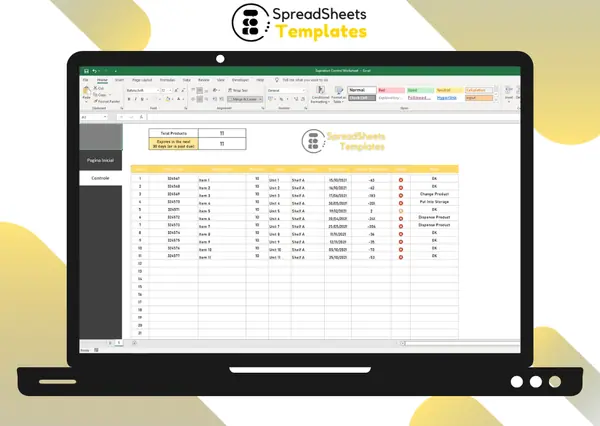 Selling perishables? See the Expiration Control Worksheet.
Stock Control Tab
$2
Less than a coffee to finally know what's on your shelves.
Download nowFrequently asked questions
Is it a full inventory system?
No. It is a simple log of stock movements with total costs in and out, ideal for small operations.
How do I receive the spreadsheet?
Right after payment you get the download link on screen and by e-mail. Lost it? Get new links anytime on the "My downloads" page.
Which software do I need?
Microsoft Excel 2010 or newer (including Microsoft 365) on Windows or Mac. It also opens in Google Sheets and LibreOffice, although some formatting may look slightly different.
Can I edit it and add my logo?
Yes. The file is not locked: you can rename labels, add rows and put your own logo in it.
What language is the file in?
English.
Is it a subscription?
No. You pay $2 once and the file is yours to use for as long as you want.
What if it is not what I need?
You have 7 days to try it. If it does not meet your needs, write to us and we will help you, exchange it for another template or refund your payment.
More about the Stock Control Tab
Inventory control, also called inventory management, is the process of ensuring that the right quantity of goods is available within an organization. With proper internal and production controls, this practice ensures that the company can meet customer demand as effectively as possible.
To meet this demand, the Excel Coaching group developed the Stock Control Worksheet, which allows you to register all the actions that have been carried out of the stock, containing essential fields to be filled in, and can give a better management in the decision making in Stock Management.
What is inventory control for?
Much more than having an organized physical space, this control allows to optimize the tasks of the entire structure of the company. And thus bring countless advantages and benefits.
Controlling stock means managing an important part of your assets. Besides representing an essential strategy for business operations.
These operations can be complex, especially if there is more than one distribution point. However, failure to do them or doing them inadequately will lead to small errors that can be costly.
Successful inventory control requires data on purchasing, new orders, shipping, storage, receiving, customer satisfaction, prevention, turnover, and more.
When this follow-up and management is done properly, it is possible to maximize profits and improve customer satisfaction.
This is possible because companies now have enough tools and data to evaluate their current state and adjust it to the sales projection.
This is why the use of the stock control spreadsheet is so important, since it will bring this possibility to organize and manage the available and future stock, besides analyzing the past stock, to determine future projections.
Another important point of inventory control is that it can help to avoid major problems, such as lack of products in stock. In fact, this is a situation that should be avoided as much as possible, because it can bring serious consequences to a retail company.
Advantages of Stock Control
Many financial departments of companies that do not have a balanced stock control and make too many purchases of products, without knowing their real need, or even fail to buy the ones that leave more, end up taking a long time to recover the capital invested and also lose possible business opportunities.
The planning carried out with our spreadsheet allows the company to avoid spending money on products that will be kept in stock for a long time.
Spending on something that will be stored for a long time is not investing in other more profitable situations that will bring other types of return to the company. But to carry out this whole process, the spreadsheet requests fields with the following data that need to be filled in, such as:
Unit
Maximum
Minimum
Date
Source
Incoming
Outbound
Stock
Here you saw a Basic Stock Control Sheet, which helps a lot, and has advanced features facilitating control and replacing outdated methods.
Your company can reduce work effort, time in order to improve the productivity of the company, thus giving a better management in the placement of ideas about a particular service.
Get organized today for just $2
Download the Stock Control Tab now and start using it in minutes.
Download now for $2One-time payment · Instant download · 7-day guarantee