How to Track Employee Attendance (Simple Monthly Method)
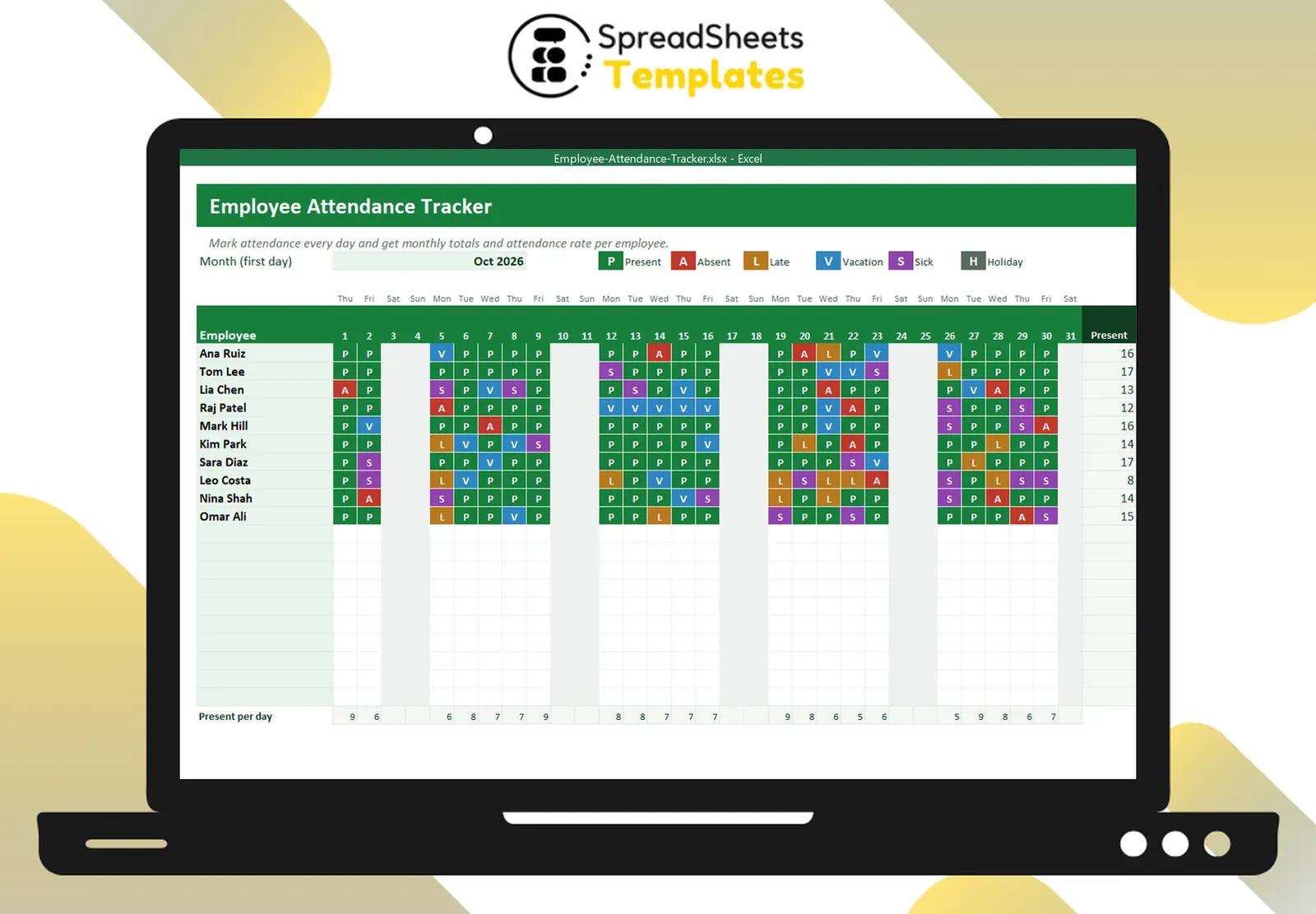
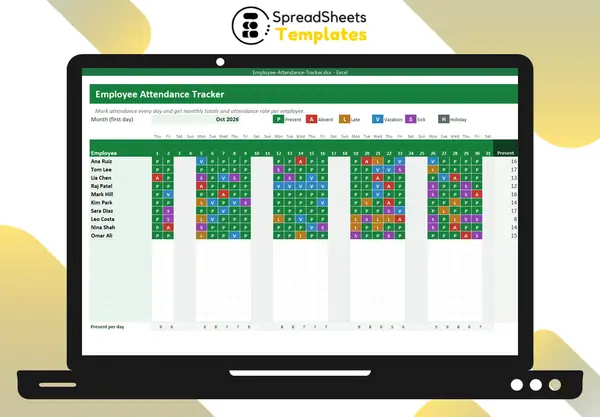
Tracking attendance doesn’t need expensive software. A monthly grid with one code per employee per day gives you accurate records for payroll, reviews and labor law — and helps you spot problems early.
Use simple codes
- P — present
- A — absent (unplanned)
- L — late
- V — vacation
- S — sick
- H — holiday
One letter per cell keeps the grid readable; colors make patterns obvious.
Set up the month
Put employees in rows and days 1–31 in columns. Calculate each day’s date from the first day of the month, show the weekday above the number and shade weekends. Hide or blank days that don’t exist in shorter months.
Count and calculate
For each employee, COUNTIF the codes:
=COUNTIF(C8:AG8, "A")
Attendance rate = (present + late) ÷ (working days marked − holidays − vacation)
Highlight rates under 90% to start a conversation, not a punishment.
Look for patterns
- Absences on Mondays and Fridays
- Frequent lateness in the same week of the month
- Days when too few people are present to serve customers
Keep it fair and legal
- Track everyone with the same rules.
- Record facts, not opinions.
- Keep records for the period your local law requires.
- Treat sick leave according to local rules and company policy.
Template
The Employee Attendance Tracker sets up the month automatically, uses color codes with drop-downs, totals each code per employee, calculates attendance rate and counts how many people were present each day. Manage vacation balances with the PTO & Vacation Tracker.