How to Track Employee Training and Certifications
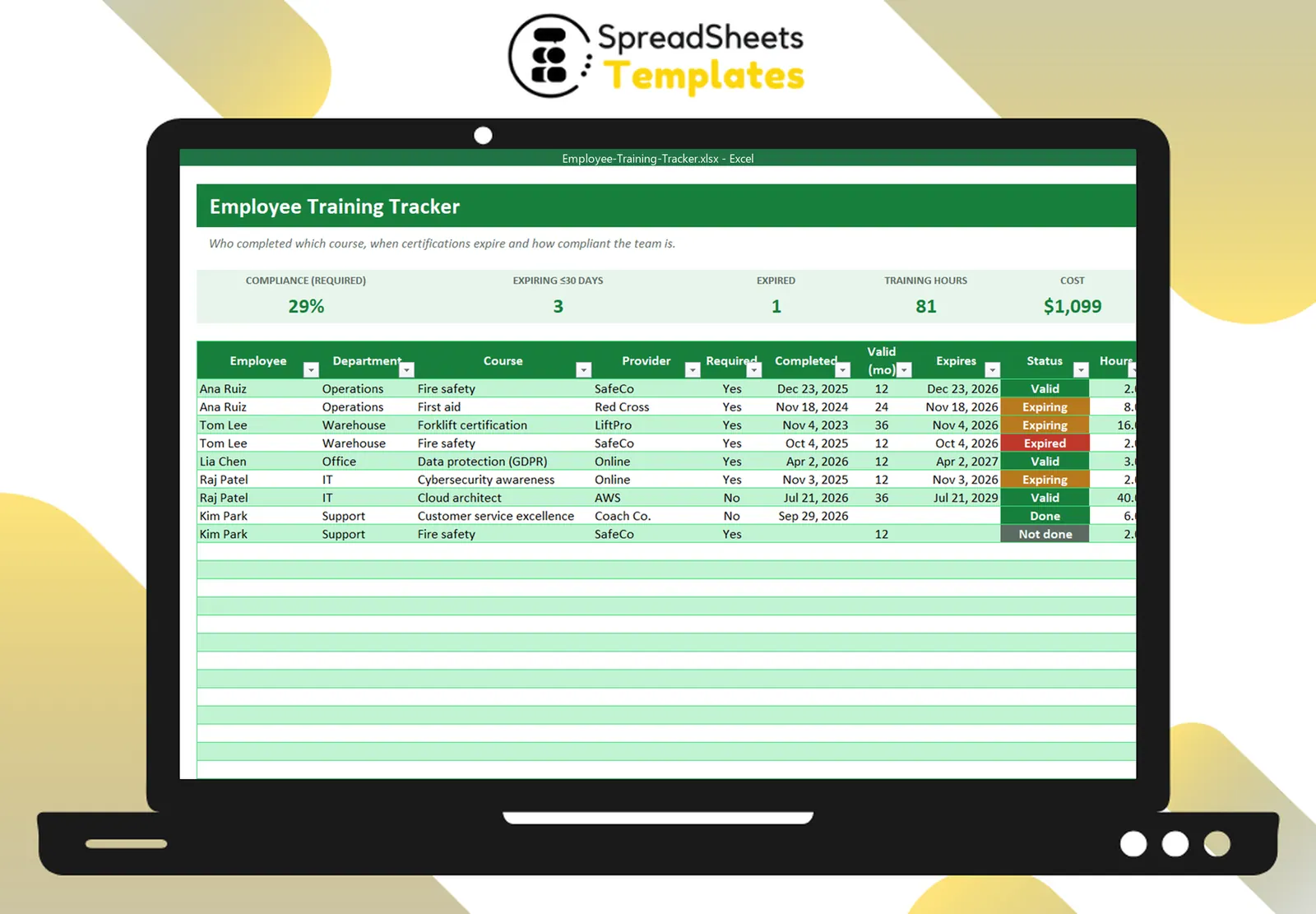
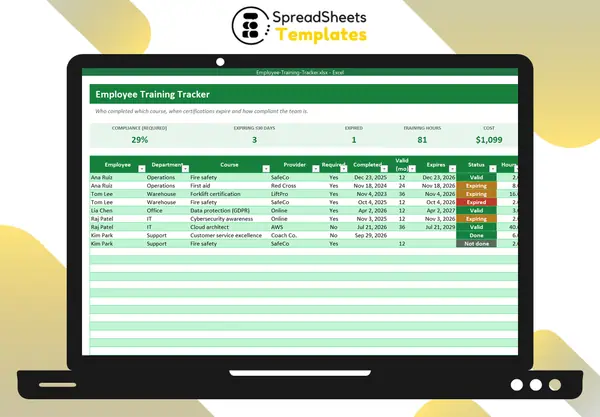
Training records protect your business in audits, keep certifications valid and show where to invest in people. A simple tracker beats scattered certificates in email.
What to record
For each employee and course:
- course name and provider;
- whether it is required for the role;
- completion date;
- validity (months) — e.g., fire safety 12, first aid 24, forklift 36;
- expiry date and status;
- hours and cost.
Calculate expiry and status
Expiry = completion date + validity months. In Excel: =EDATE(Completed, ValidMonths).
Then a status:
- Valid — expires in more than 30 days;
- Expiring — within 30 days;
- Expired — past the expiry date;
- Not done — no completion date;
- Done — completed, no expiry.
Measure compliance
Compliance = required trainings that are valid ÷ total required trainings. It’s the number auditors and managers care about.
Plan renewals
Every month, filter “Expiring” and book the courses. Expired certifications in safety-critical roles may mean people can’t legally do the job.
A training matrix view
Summarizing status by course (how many valid, expiring, expired, not done) shows which programs need attention.
Template
The Employee Training Tracker calculates expiry dates and status automatically, shows compliance with required training, totals hours and cost and summarizes status by course with a chart.