Employee records spreadsheet: your team and payroll numbers at a glance
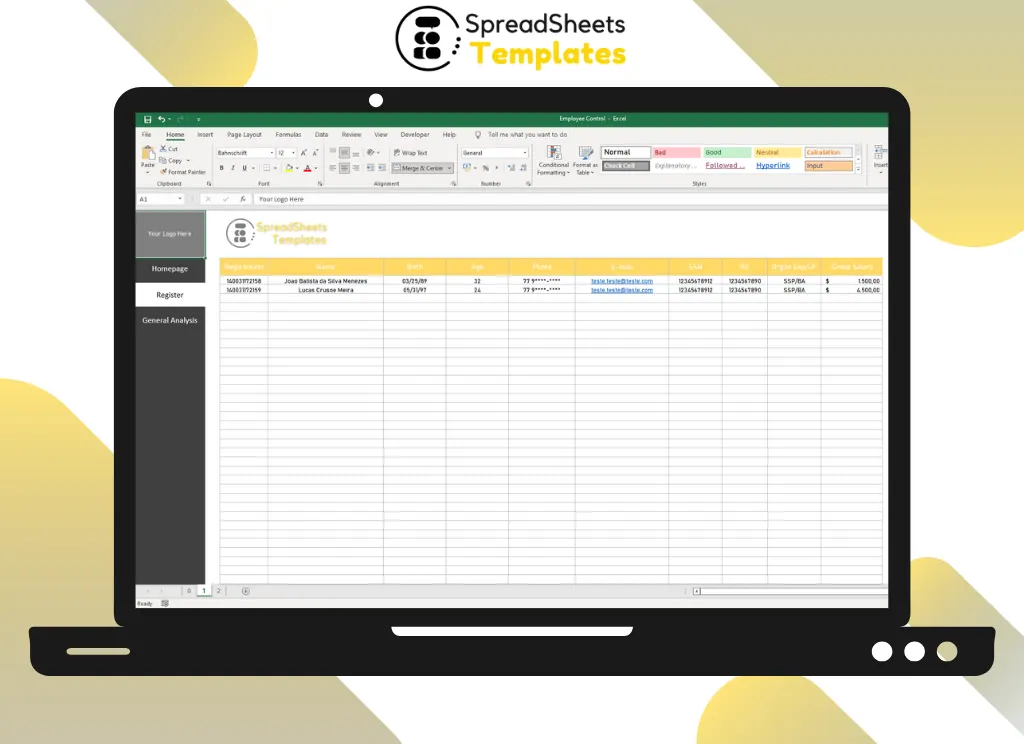
Register up to 40+ employees and see total staff, monthly payroll, average salary and average age, all calculated automatically.
- ⚡ Instant download
- 🔒 Secure checkout by Stripe
- ↩️ 7-day guarantee
Sound familiar?
- Employee data is spread across folders and e-mails
- You don't know what payroll really costs each month
- Ages and anniversaries are worked out by hand
The Employee Control fixes that in a few minutes, for $2.
What changes when you use it
All records in one place
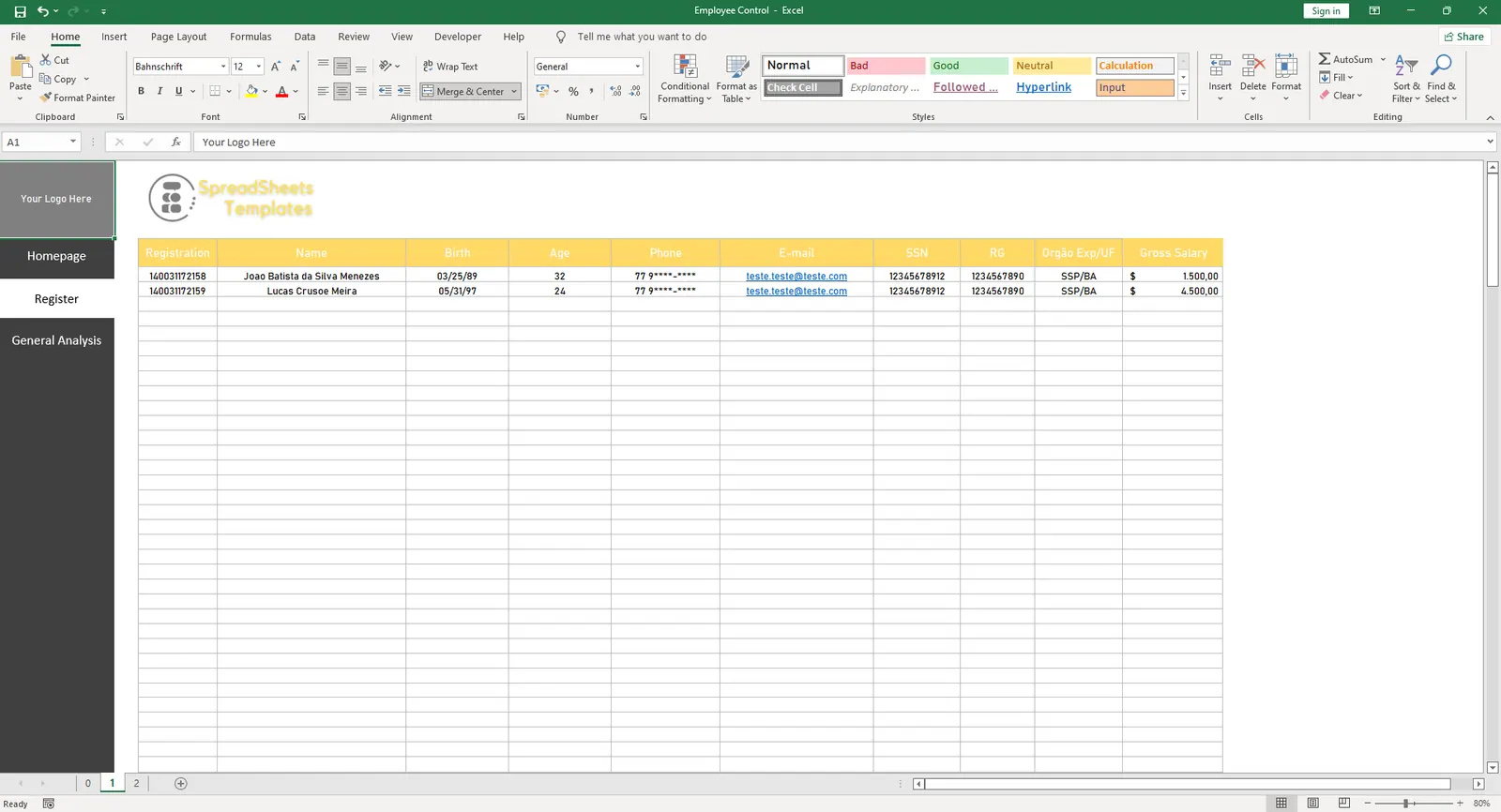
Registration, name, birth date, phone, e-mail, salary and ID number.
Payroll at a glance
Total employees, monthly expense, average wage and average age.
Always up to date
Age is calculated from the birth date automatically.
What's inside the spreadsheet
- Registration number and name
- Birth date with automatic age
- Phone and e-mail
- Gross salary
- ID / SSN fields
- Total employees
- Monthly payroll expense
- Average salary and average age
Ready in 3 simple steps
Buy securely
Pay $2 once through the secure checkout (Stripe).
Download instantly
Your file is ready right after payment and also arrives in your e-mail.
Fill in and use
Open it in Excel, type your data and let the formulas do the work.
Made for
Everything you get
- Employee Control (.xlsx file), 100% editable
- Instant download right after payment, plus the link in your e-mail
- Use it on as many of your own computers as you need
- No subscription and no monthly fees, ever
- Free e-mail support to help you get started
- 7-day money-back guarantee
Works with: Excel 2010 or newer on Windows or Mac · also opens in Google Sheets
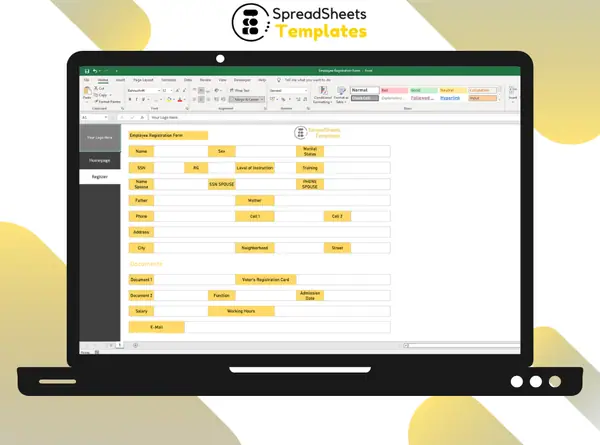 Hiring someone? Use the Employee Registration Form.
Employee Control
$2
Less than a coffee to organize your whole team.
Download nowFrequently asked questions
Can I add more fields?
Yes. Insert columns for anything else you need to track.
How do I receive the spreadsheet?
Right after payment you get the download link on screen and by e-mail. Lost it? Get new links anytime on the "My downloads" page.
Which software do I need?
Microsoft Excel 2010 or newer (including Microsoft 365) on Windows or Mac. It also opens in Google Sheets and LibreOffice, although some formatting may look slightly different.
Can I edit it and add my logo?
Yes. The file is not locked: you can rename labels, add rows and put your own logo in it.
What language is the file in?
English.
Is it a subscription?
No. You pay $2 once and the file is yours to use for as long as you want.
What if it is not what I need?
You have 7 days to try it. If it does not meet your needs, write to us and we will help you, exchange it for another template or refund your payment.
More about the Employee Control
What is time and attendance control?
Time control consists of recording the working hours of the company's employees. As well as control time is the same as recording all the times that make up the working day, usually entry, break, return from break and exit.
Having a management point can ensure the smooth running of the company and is a form of organization.
In addition, time control is the law, so it is extremely important to get human resources time control. Better understand the legal requirements.
Article 74 of the "Consolidation of Labor Laws Act" stipulates that business establishments with more than 10 employees must record employees' clock-in and clock-out times by means of manual, mechanical, or electronic records.
And this ruling applies to any type of company with more than 10 employees in its branches.
When to use a time sheet for employees?
Time sheets should be used only in companies with more than 20 employees. However, whether by paper or electronic means to control the course is essential.
Many organizations make the mistake of not controlling the schedule at all, so they end up facing some labor problems.
Just as there are many reasons why companies claim that they do not control points. They range from thinking that the points system is too expensive and labor intensive to saying that employees will not fill out the worksheets correctly.
Get organized today for just $2
Download the Employee Control now and start using it in minutes.
Download now for $2One-time payment · Instant download · 7-day guarantee