How to Create an Annual Budget That Survives the Whole Year
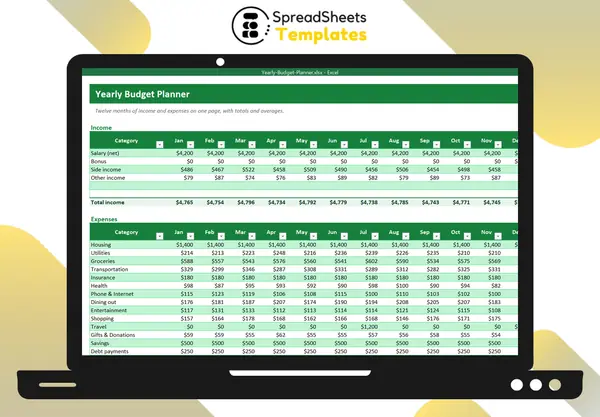
A monthly budget tells you whether this month is on track. An annual budget tells you whether the year is — and that is where most money problems hide: the insurance bill in March, holidays in December, the car repair nobody planned.
Why a yearly view matters
Most budgets fail in “expensive months”. If you only plan month to month, every annual or irregular expense feels like an emergency. Putting the 12 months side by side shows them in advance, so you can spread the cost.
Step 1: List income for every month
Type your expected net income in each month. Include bonuses, tax refunds and seasonal income in the month you expect them. If you are a freelancer, use conservative numbers and update them as the year goes on.
Step 2: Map recurring expenses
Fixed costs (housing, insurance, loan payments) are easy: same number every month. Variable costs (groceries, utilities, fuel) are best estimated from the last 3–6 months of statements.
Step 3: Add the irregular ones
Go through last year’s bank statements and list every expense that does not happen monthly:
- annual insurance premiums and subscriptions;
- holidays and birthdays;
- travel and vacations;
- car maintenance and registration;
- school costs, medical and dental.
Place each one in the month it happens. Now your plan shows the real peaks.
Step 4: Look at the net and the cumulative balance
For each month, income minus expenses gives the net. A running total of the net (a cumulative balance) shows how much you will have saved by any point in the year. If the cumulative balance dips below zero in some month, you know you must save ahead for it.
In Excel this is a simple formula copied across the row: =SUM($C$30:C30).
Step 5: Review quarterly
Every three months, replace the planned numbers with actuals and adjust the rest of the year. Three questions to ask:
- Which categories are consistently above plan?
- Is my savings rate for the year where I want it?
- What changed (income, rent, family) that the plan must reflect?
Rank where your money goes
The most eye-opening view of a yearly budget is a ranking of total spending by category with the share of each one. Often two or three categories account for more than half of everything — that is where small changes make the biggest difference.
A ready-made template
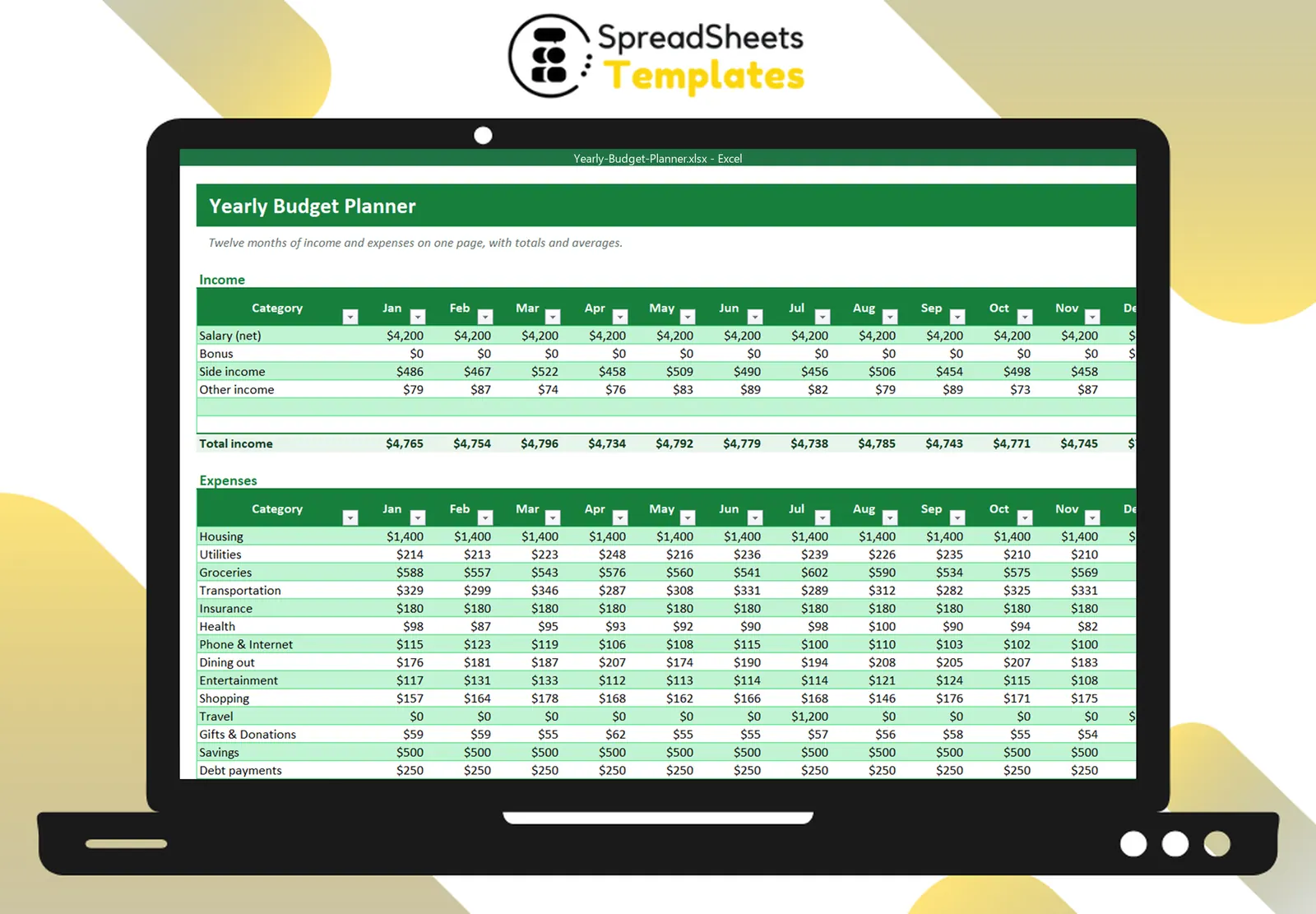
The Yearly Budget Planner gives you the 12-month layout with totals, monthly averages, net result, cumulative balance, an income vs expenses chart and a summary tab that ranks your categories. Pair it with the Monthly Budget Planner if you also want to log daily spending.