How to Track Your Subscriptions and Cut What You Don’t Use
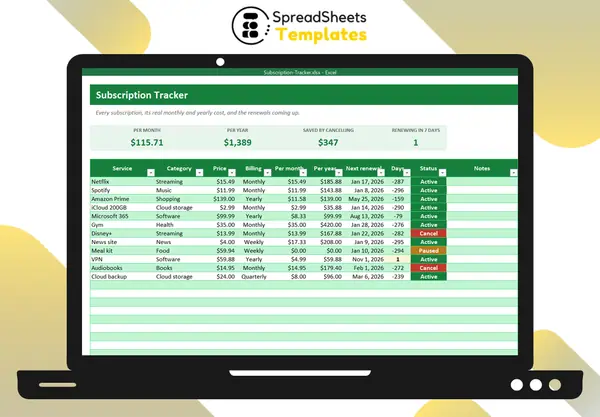
Subscriptions are designed to be forgettable: small amounts, automatic payments, renewals once a year. Ten “small” subscriptions can easily cost over $1,500 a year. Tracking them takes an hour once — and saves money every month after.
Step 1: Find them all
Open the last three months of bank and credit card statements (and your app store purchase history) and list every recurring charge: streaming, music, cloud storage, software, gym, news, meal kits, apps, memberships. Three months catches quarterly charges; for yearly ones, search your email for “renewal” or “receipt”.
Step 2: Convert everything to the same unit
A $4 weekly news subscription looks cheap next to a $139 yearly membership — until you convert them:
- weekly × 52 ÷ 12 = per month (the $4 news site costs about $17 a month);
- quarterly ÷ 3 = per month;
- yearly ÷ 12 = per month.
Then multiply by 12 for the yearly cost. Seeing everything as “per year” changes decisions.
Step 3: Ask three questions about each one
- Did I use it in the last 30 days?
- Would I sign up again today at this price?
- Is there a cheaper plan, a family plan or a free alternative?
Mark each subscription as keep, pause or cancel.
Step 4: Watch the renewal dates
Write the next renewal date of each subscription and calculate the days left. Anything renewing within a week gets your attention — that is your window to cancel or downgrade before you are charged.
Step 5: Rotate instead of stacking
You don’t need five streaming services at once. Subscribe to one for a month, watch what you wanted, cancel and switch. Same content, a fraction of the cost.
Step 6: Repeat every quarter
New subscriptions sneak in through free trials. A quick quarterly check keeps the list clean.
Template
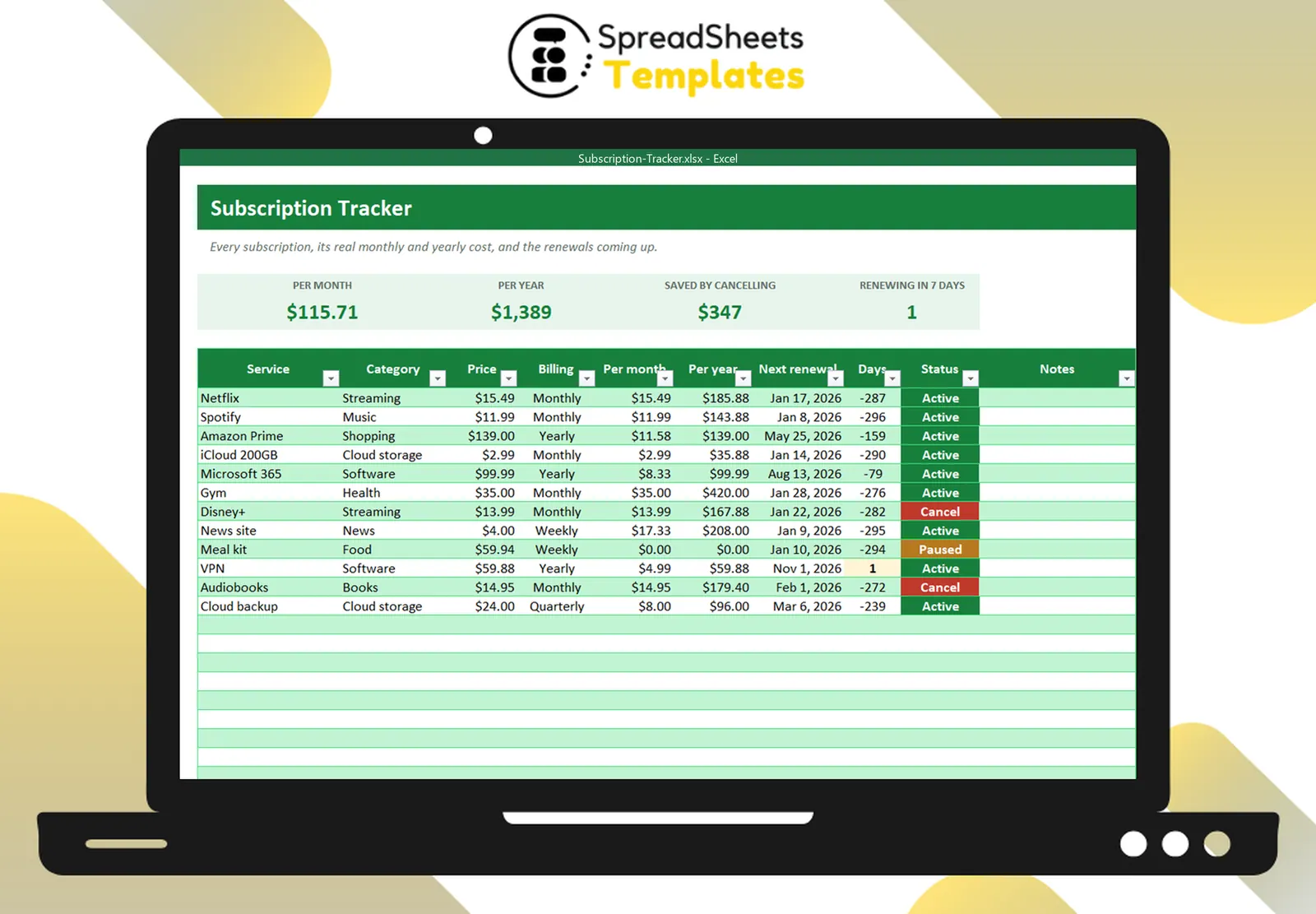
The Subscription Tracker does the conversions for you (weekly, monthly, quarterly, yearly), counts down renewals, shows how much you save by cancelling and groups the cost by category. Combine it with the Bill Payment Tracker for the rest of your recurring bills.