How to Track Project Tasks So Nothing Falls Through the Cracks
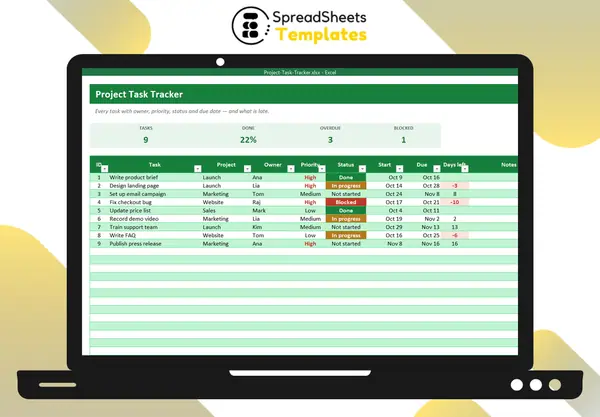
Most projects don’t fail because of one big mistake — they fail from dozens of small tasks nobody owned. A shared task tracker fixes that with a few simple rules.
The fields that matter
- Task (start with a verb: “Design landing page”)
- Project or area
- Owner — one person, never “team”
- Priority — high, medium, low
- Status — not started, in progress, blocked, done
- Start and due dates
- Notes
Four statuses are enough
- Not started
- In progress
- Blocked — waiting on someone or something (write who in Notes)
- Done
“Blocked” is the most useful status: it surfaces problems early instead of letting them hide inside “in progress”.
Make deadlines visible
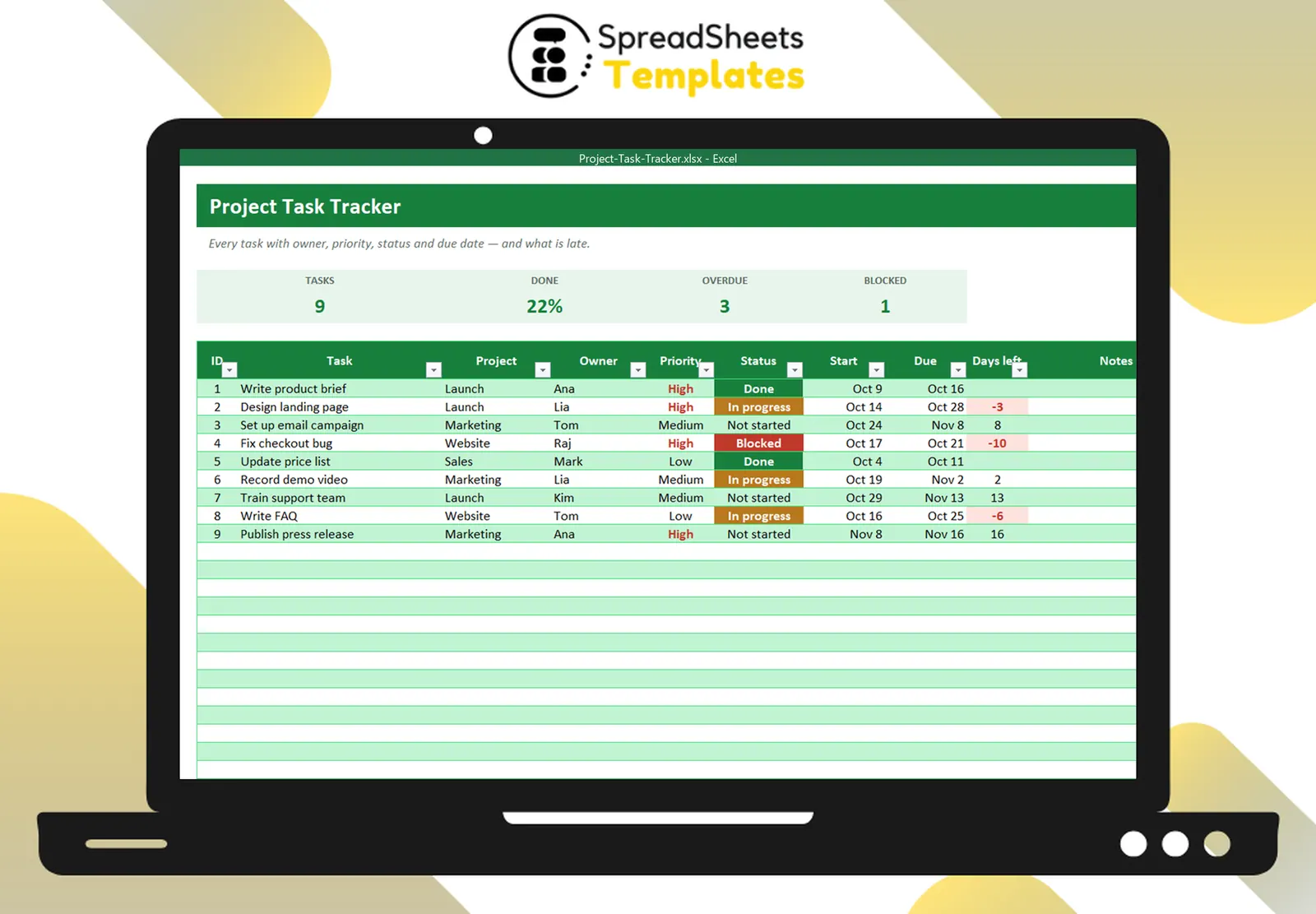
A “days left” column (=Due − TODAY()) and a red highlight for negatives turns your list into an early warning system. Hide done tasks from the count.
Prioritize honestly
If everything is high priority, nothing is. A rule of thumb: no more than 20–30% of open tasks should be high priority.
The weekly review (15 minutes)
- Update statuses.
- Look at overdue and blocked tasks first — unblock or re-plan.
- Check each person’s workload.
- Add new tasks with owners and dates.
Balance the workload
A summary of open tasks per person and status shows who’s overloaded and who has capacity — before burnout or missed deadlines.
Template
The Project Task Tracker has the task list with priorities, status colors, days left and overdue alerts, cards for done, overdue and blocked, and a workload summary by person. Need a timeline view? Use the Gantt Chart Project Planner.