How to Write OKRs (With Examples) and Track Them
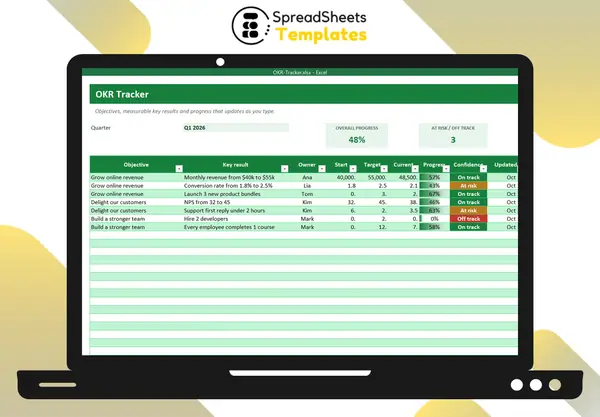
OKRs — Objectives and Key Results — are a goal-setting method used by companies of every size. The idea is simple: an inspiring objective plus a few measurable results that prove you got there.
Objective: the “what”
Qualitative, inspiring, time-bound (usually a quarter). Examples:
- Grow online revenue
- Delight our customers
- Build a stronger team
Key results: the “how do we know”
Each objective has 2–4 key results, always with a number:
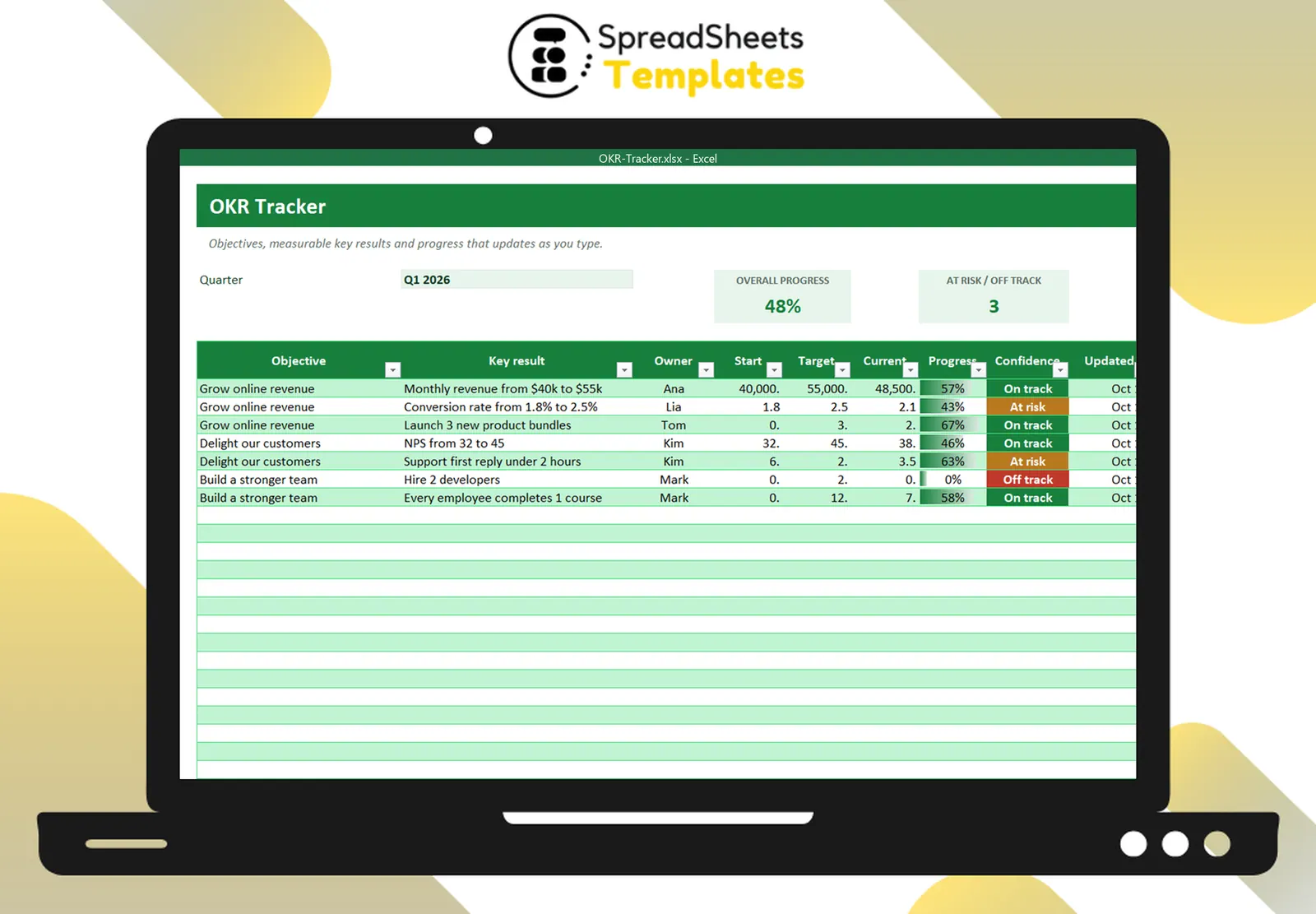
- Monthly revenue from $40k to $55k
- Conversion rate from 1.8% to 2.5%
- NPS from 32 to 45
- Support first reply under 2 hours
Results, not tasks
“Send a customer survey” is a task. “NPS from 32 to 45” is a result. Tasks go in your project list; OKRs measure outcomes.
Measuring progress
For each key result: progress = (current − start) ÷ (target − start), capped between 0 and 100%. This also works when you want to reduce a number: response time from 6 hours to 2 hours, currently 3.5 → (3.5 − 6) ÷ (2 − 6) = 62.5%.
Objective progress = average of its key results.
Ambition and scoring
OKRs are meant to stretch. Reaching about 70% of an ambitious OKR is typically a success; hitting 100% every quarter may mean the goals were too safe.
The weekly check-in (10 minutes)
- Update the current value of each key result.
- Set confidence: on track, at risk, off track.
- Discuss only the at-risk ones: what’s blocking?
Common mistakes
- Too many OKRs (focus disappears).
- Key results nobody can measure.
- Setting OKRs and looking at them again at the end of the quarter.
Template
The OKR Tracker calculates progress for each key result (up or down goals), tracks confidence with colors and shows the average progress of every objective with a chart. For ongoing metrics, use the KPI Dashboard.