How to Keep a Fixed Asset Register (With Depreciation)
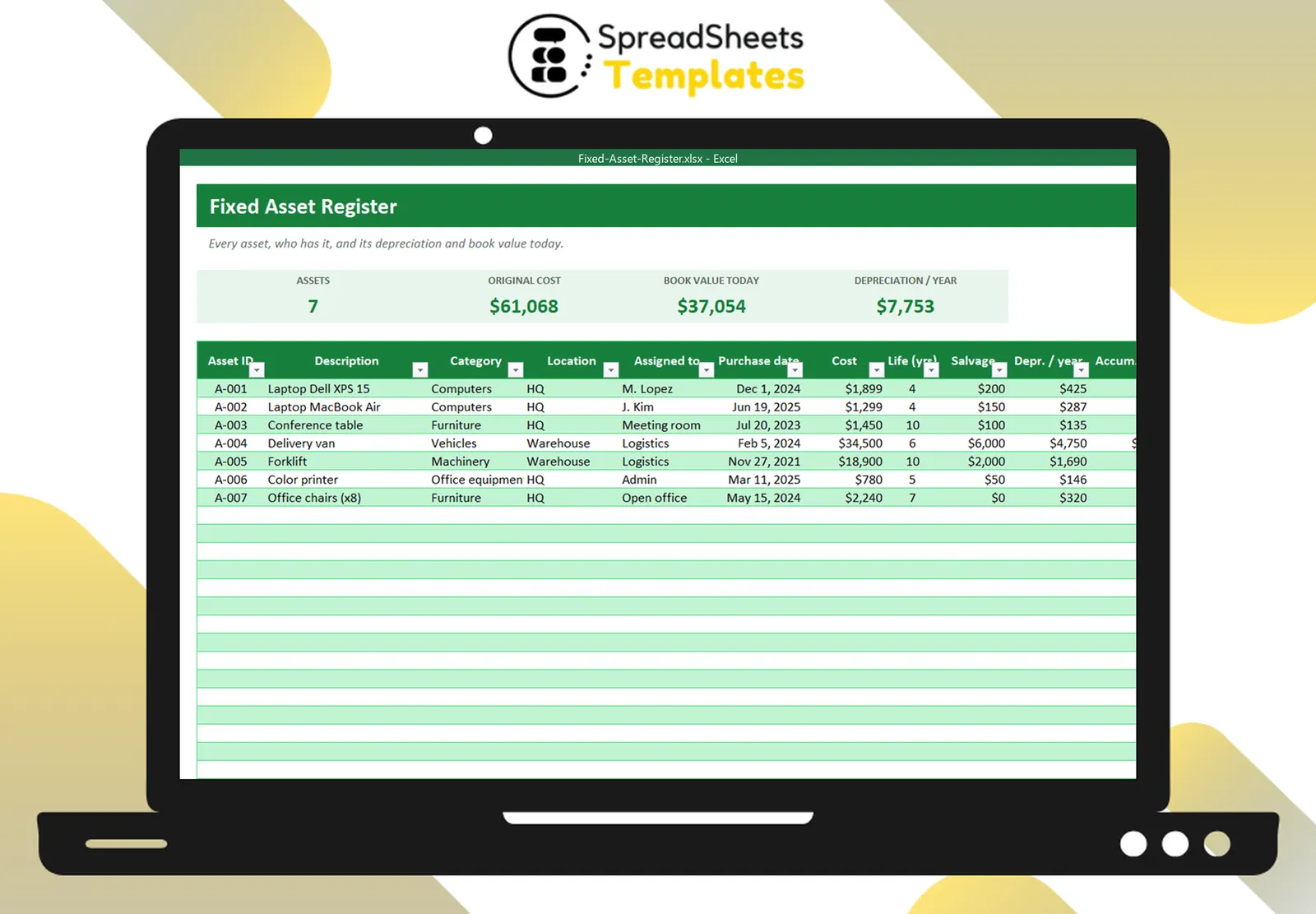
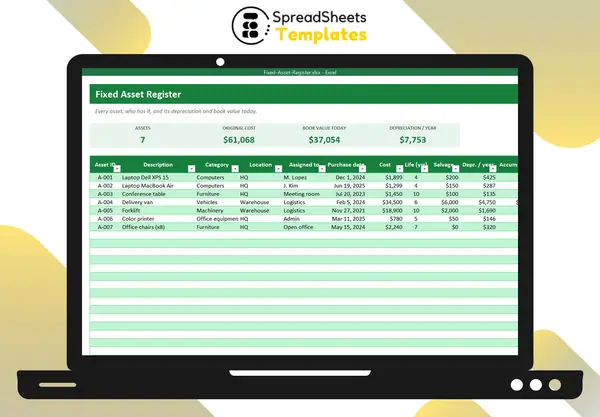
A fixed asset register is the list of everything your business owns that lasts more than a year: computers, furniture, vehicles, machinery. It answers three questions: what do we own, where is it, and what is it worth?
Why keep one
- Control: know who has each laptop, tool or vehicle.
- Accounting: depreciation and book values for the financial statements.
- Insurance: an accurate list speeds up claims.
- Planning: see what is getting old and budget replacements.
Fields to track
- Asset ID (and a label on the item)
- Description and category
- Location and person or department responsible
- Purchase date and cost
- Useful life (years) and salvage value
- Depreciation per year, accumulated depreciation, book value
- Status: in use, in repair, in storage, disposed
Straight-line depreciation
The simplest method spreads the cost evenly over the useful life:
Depreciation per year = (cost − salvage value) ÷ useful life
A $1,899 laptop with a $200 salvage value and a 4-year life depreciates $424.75 per year. In Excel: =SLN(cost, salvage, life).
Accumulated depreciation to date = yearly depreciation × years since purchase (capped at cost − salvage). Book value = cost − accumulated depreciation.
Typical useful lives
Computers 3–5 years, furniture 7–10, vehicles 5–8, machinery 7–15. Tax rules may require specific methods and lives — ask your accountant.
Keep it accurate
- Add assets when you buy them, not at year end.
- Label each item with its ID.
- Do a physical check once a year: walk around with the list.
- Update status when items move, break or are sold.
Template
The Fixed Asset Register tracks assets with location, owner, cost and useful life, calculates straight-line depreciation and book value to date, shows status with colors and summarizes cost and book value by category.