How to Meal Plan for the Week (and Save on Groceries)
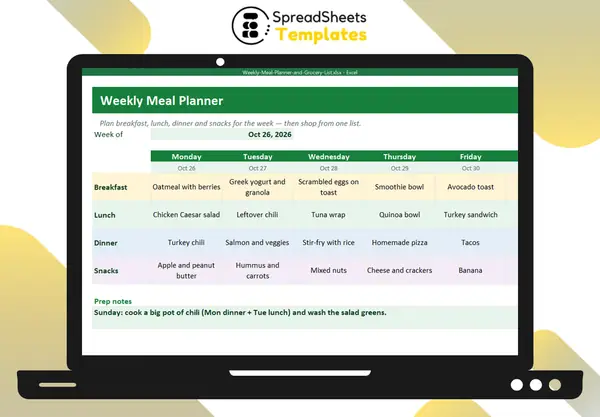
Meal planning removes the daily “what’s for dinner?” stress, cuts food waste and is one of the easiest ways to lower your food spending.
Step 1: Check what you have
Look in the fridge, freezer and pantry. Plan the first meals around what needs to be used.
Step 2: Check the week
Busy evenings need quick meals or leftovers; weekends can handle more cooking. Note events, late meetings and nights out.
Step 3: Plan dinners first, then the rest
Dinners are the hardest, so start there. Then lunches (often leftovers), breakfasts (repeat 2–3 options) and snacks.
Step 4: Cook once, eat twice
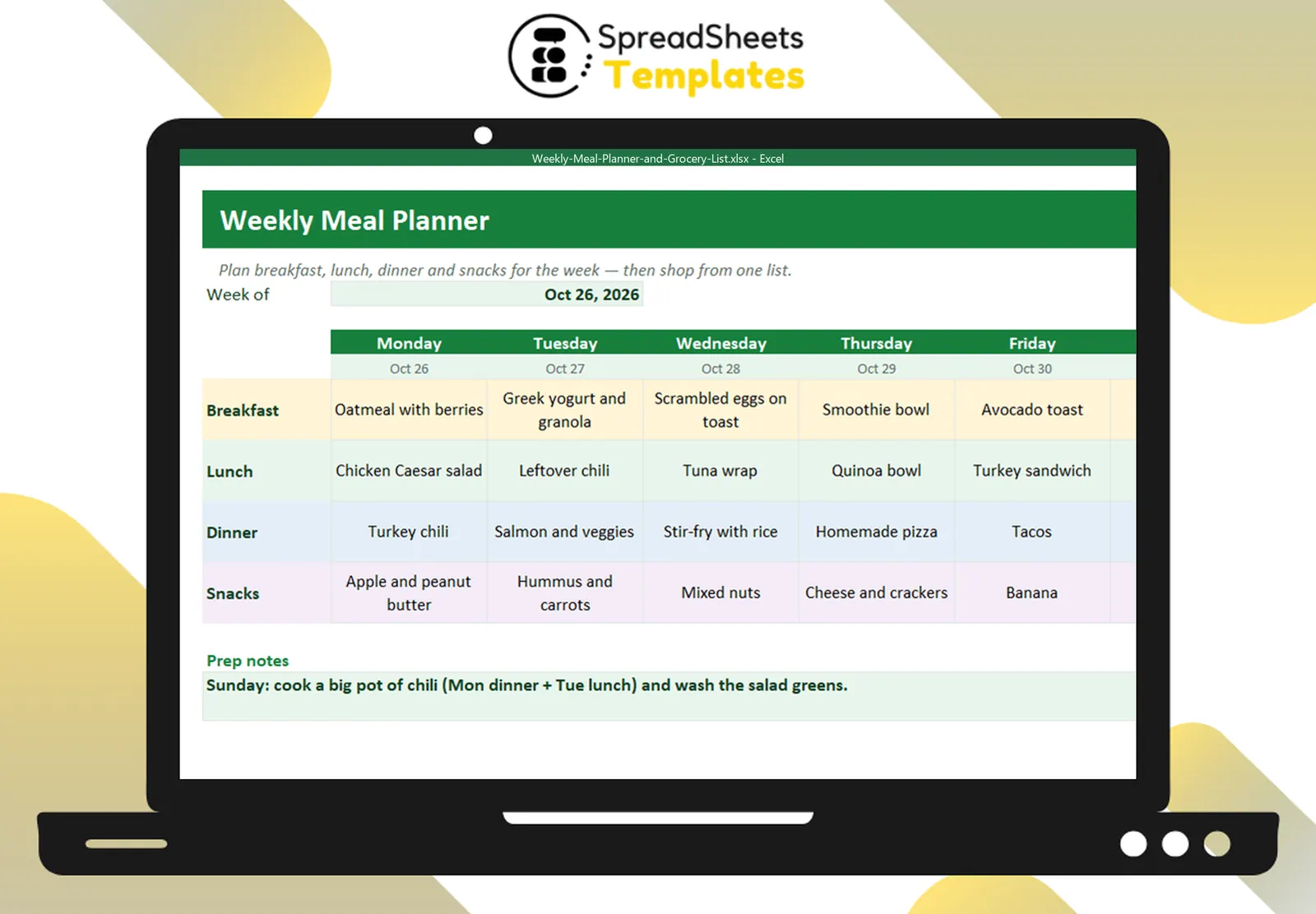
A big pot of chili on Sunday becomes Monday’s dinner and Tuesday’s lunch. Roast chicken becomes salad and wraps. Planning leftovers is the biggest time saver.
Step 5: Build the grocery list by section
Group items by store section — produce, dairy, meat and fish, pantry, bakery, frozen, household. You’ll shop faster and forget less.
Step 6: Estimate the cost
Add an estimated price per item and compare the total with your weekly food budget. Over budget? Swap an expensive protein for beans, eggs or a vegetarian meal.
Step 7: Prep
A short prep session (wash greens, chop vegetables, cook grains) makes weekday cooking much faster.
Template
The Weekly Meal Planner & Grocery List has a 7-day grid for breakfast, lunch, dinner and snacks, prep notes, and a grocery list by section with an estimated total vs your budget and ✓ to cross off items.