How to Organize Your Bills and Never Pay a Late Fee
Late fees, interest and credit score damage usually don’t come from lack of money — they come from lack of organization. A simple bill system takes 20 minutes to set up and a few minutes a week to keep.
Step 1: Make one master list
Go through the last two months of bank and card statements and list every bill: rent or mortgage, utilities, phone and internet, insurance, loans, credit cards, subscriptions. For each, write:
- the category;
- the due day of the month;
- the usual amount;
- whether it is on autopay.
Step 2: Decide what goes on autopay
Autopay is great for fixed bills (loan payments, insurance, phone). For variable bills, autopaying the full statement is convenient but needs a buffer in your account. A safe rule: autopay at least the minimum on every credit card, so you never miss a payment, and pay the rest manually.
Step 3: Align due dates with paydays
Many companies let you change your due date. Moving bills to just after payday is one of the easiest ways to stop the end-of-month squeeze. If you are paid every two weeks, see how to budget biweekly paychecks.
Step 4: Keep a monthly checklist
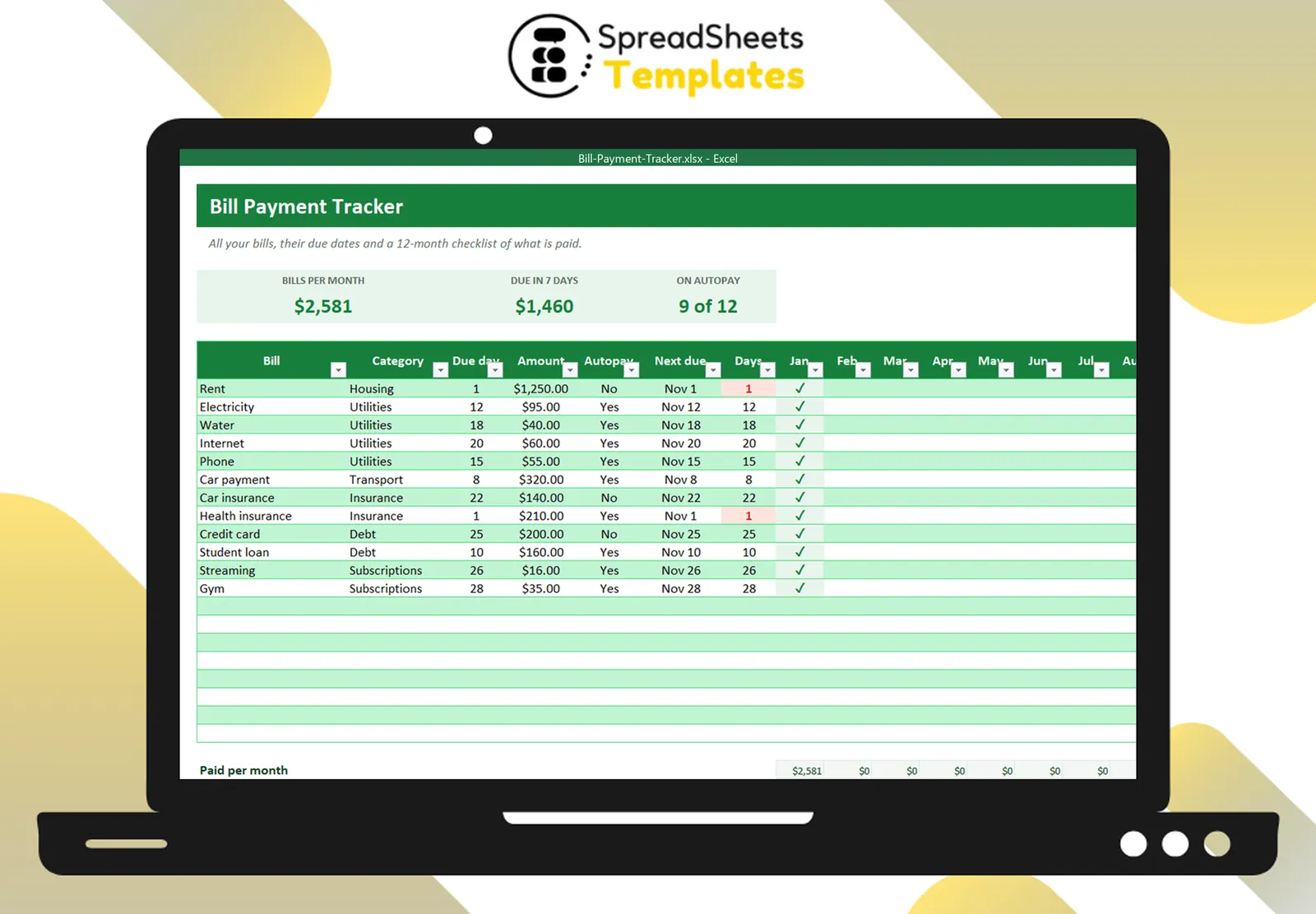
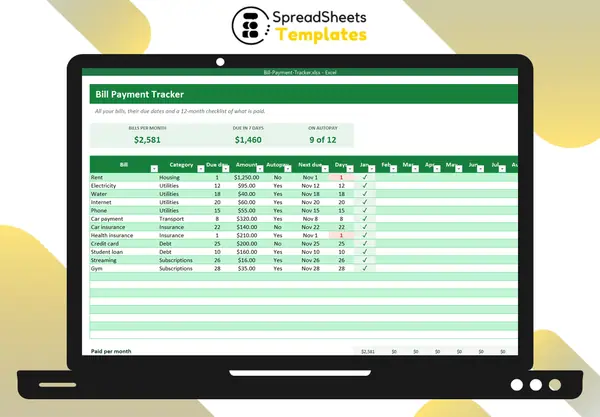
A grid with bills in rows and months in columns is the simplest tracker there is: mark ✓ when paid, “Late” if it was late. In one look you see what is still open this month and spot patterns (the same bill always late?).
Step 5: Know what is coming
A “next due” column that calculates the next due date from today, with the number of days left, shows what needs attention this week:
=DATE(YEAR(TODAY()), MONTH(TODAY()) + IF(DAY(TODAY()) > DueDay, 1, 0), DueDay)
Highlight anything due within 3 days in red and you will never be surprised.
Step 6: Review once a month
Total your monthly bills by category. Bills creep up: insurance renewals, price increases, forgotten subscriptions. Comparing month to month is how you notice.
Template
The Bill Payment Tracker has this system ready: master list with due day, amount and autopay, next due date and days left, a 12-month paid checklist, monthly paid/unpaid totals and a category breakdown. To trim the list, try the Subscription Tracker.