How to Track Rental Property Income and Expenses
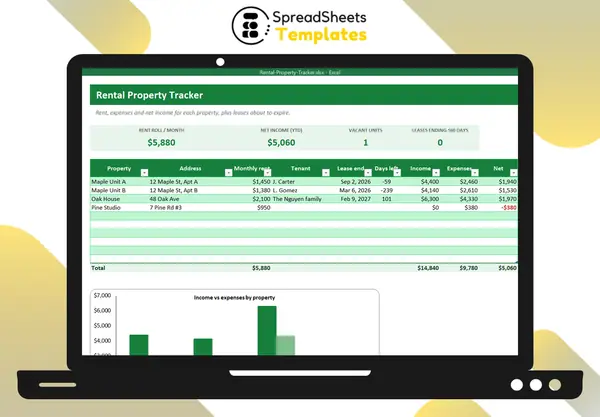
Owning rentals is a business, even with one unit. Tracking income and expenses per property shows what each one really earns and makes tax time painless.
Keep one list of properties
For each unit: address, monthly rent, tenant, lease end date. Add the purchase price and mortgage details somewhere too. The total of monthly rents is your rent roll.
Record every transaction
For each movement, record:
- date;
- property;
- income or expense;
- category;
- amount and a short note.
Income categories: rent, late fees, deposits (if kept), other. Expense categories: mortgage, repairs and maintenance, insurance, property tax, HOA, utilities, management fees, advertising, legal and professional, other.
Net income per property
Net = income − expenses, per property. Some units look great on rent but eat cash in repairs; others are quiet earners. Seeing them side by side guides decisions about rent increases, renovations or selling.
Watch the leases
List lease end dates and count the days left. 60 days before a lease ends is a good moment to talk renewal or start advertising — vacancy is the biggest cost in rentals.
Tax time
In many countries, rental expenses like repairs, insurance, property tax, mortgage interest and management fees are deductible. If they’re already categorized, totaling them takes minutes. (Talk to a tax professional about depreciation and what applies to you.)
Good habits
- Use a separate bank account for rentals.
- Log transactions weekly.
- Keep receipts for every expense, organized by property.
- Keep a separate file per tax year.
Template
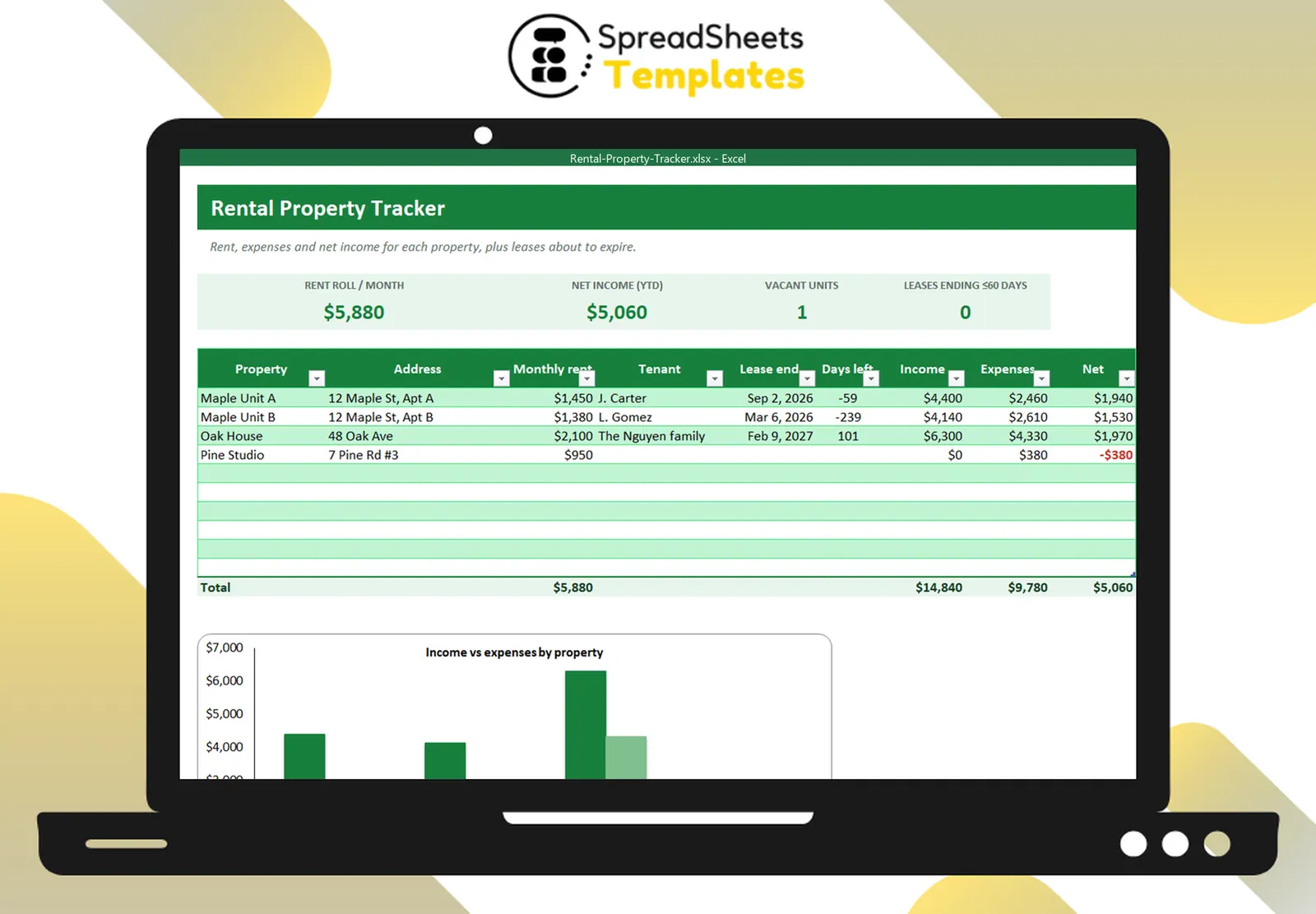
The Rental Property Tracker has a property list with income, expenses and net per unit, a transactions log with drop-downs, cards for rent roll, vacancies and leases ending within 60 days, and a chart by property.