How to Fill Out an Expense Report (Without Delays)
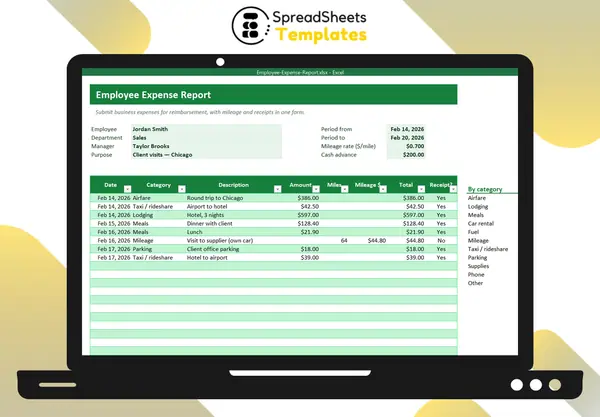
An expense report is how employees get paid back for business costs they paid themselves. Done well, it’s approved in a day. Done badly, it bounces back and forth for weeks.
What a good expense report includes
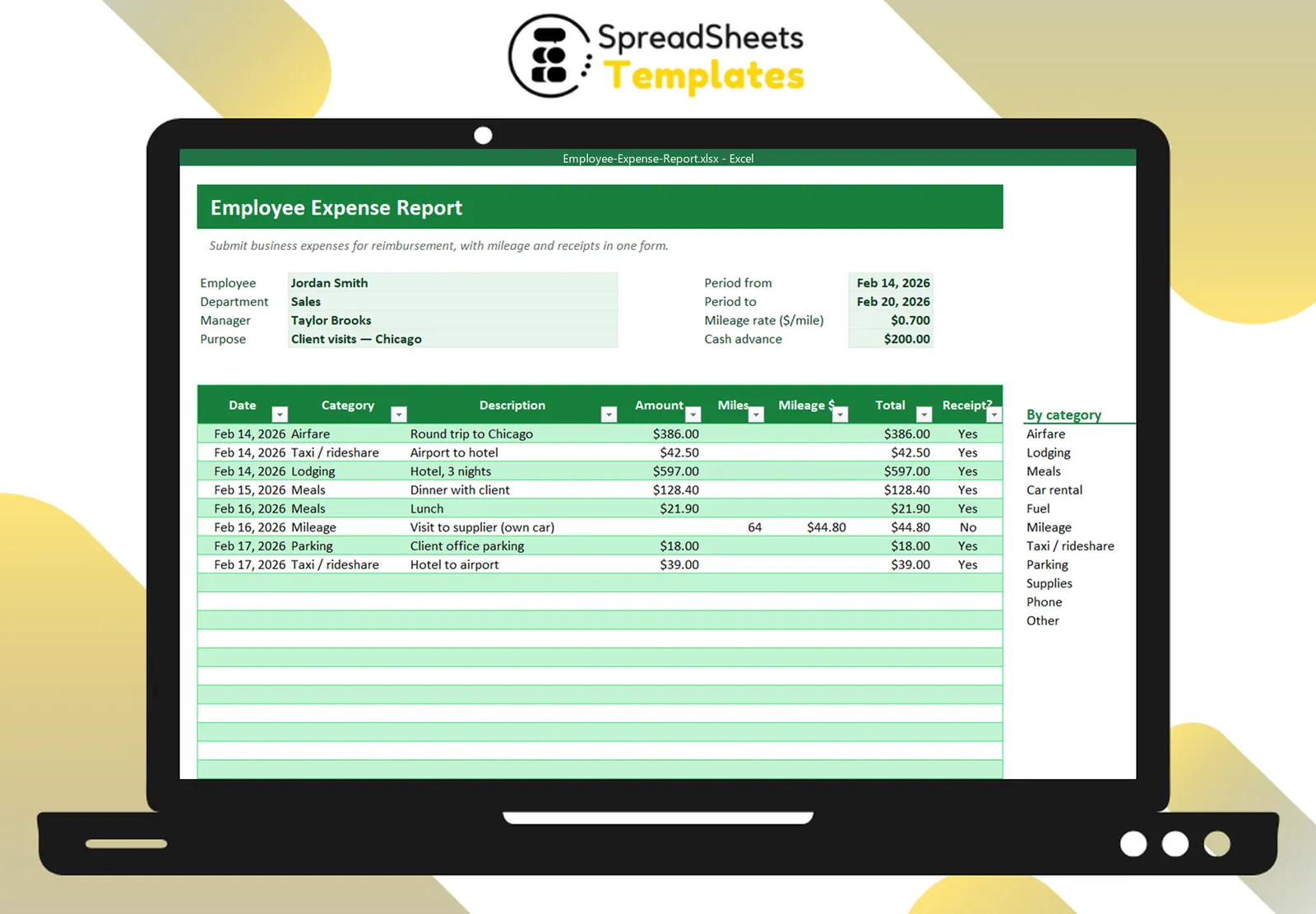
- Who and why: employee name, department, manager, business purpose (e.g., “Client visits — Chicago”).
- When: the period covered (trip dates or the month).
- Each expense: date, category, description, amount and whether there is a receipt.
- Totals: by category and overall, minus any cash advance.
- Signatures: employee and approver.
Use clear categories
Common ones: airfare, lodging, meals, car rental, fuel, mileage, taxi/rideshare, parking, supplies, phone. Consistent categories make approval faster and bookkeeping easier.
Mileage
When you use your own car, you’re usually reimbursed per mile instead of fuel. Multiply the business miles by your company’s rate. For reference, the IRS standard business rate for 2025 is $0.70 per mile. Record the trip purpose and route — a mileage log makes this painless if you drive often.
Receipts
- Keep every receipt; photograph it the same day.
- Itemized receipts beat card slips (especially for meals).
- If a receipt is lost, write a short note with date, amount, vendor and purpose.
Cash advances
If you received an advance before the trip, subtract it: total expenses − advance = amount due to you (or to the company, if negative).
Tips to get reimbursed faster
- Submit within a week of the trip.
- Explain unusual items in one line.
- Follow your company’s policy limits (meals per day, hotel class).
- Separate personal and business expenses on the same receipt.
Template
The Employee Expense Report has the header fields, mileage rate and advance, expense lines with automatic mileage amounts and totals, a category summary, the amount due and signature lines — print it or save as PDF.