How to Evaluate Suppliers With a Weighted Scorecard
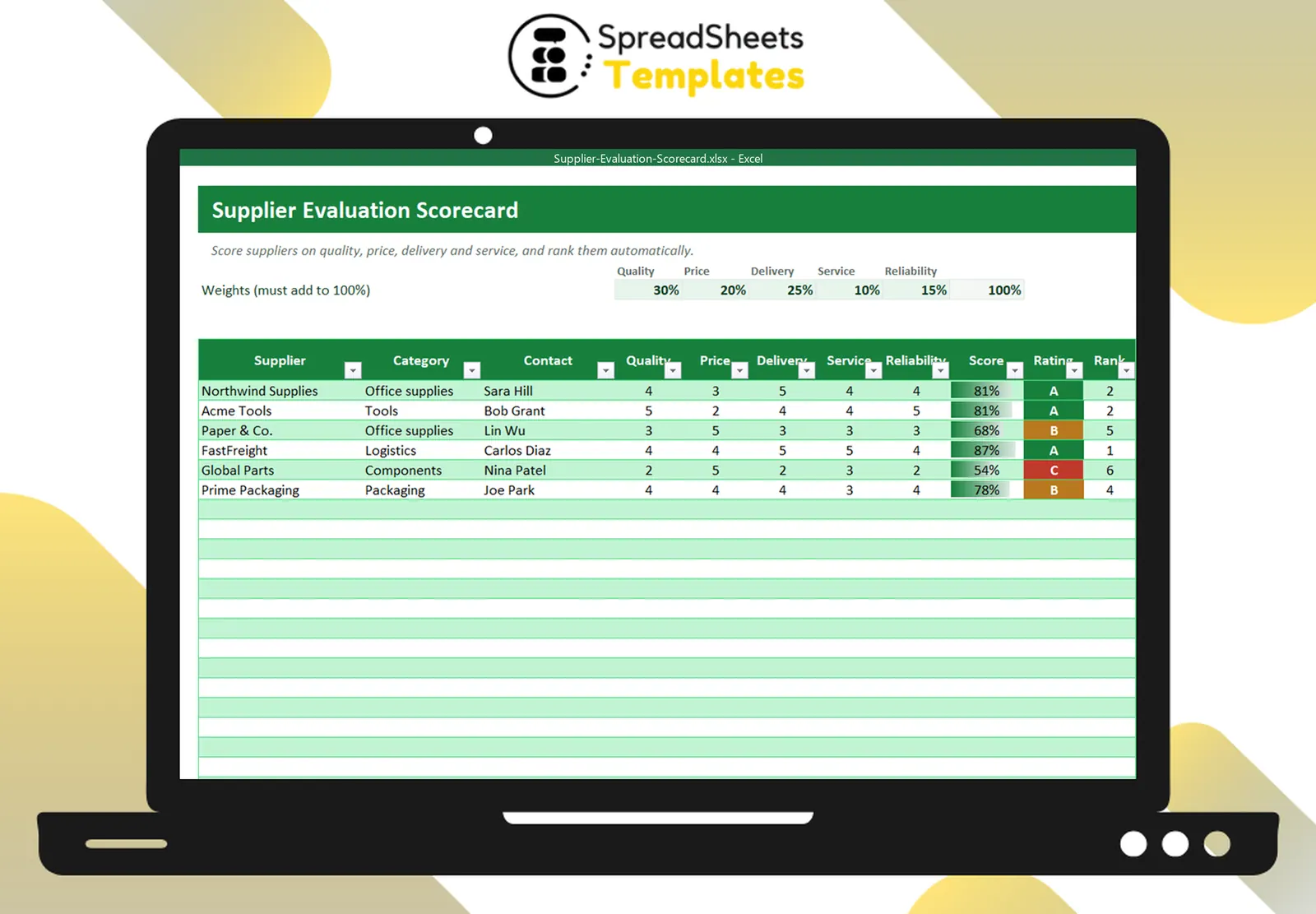
Your suppliers affect your quality, costs and promises to customers. A supplier scorecard replaces gut feeling with a simple, repeatable evaluation.
Step 1: Choose criteria
Five criteria cover most businesses:
- Quality — defects, returns, conformity to specs.
- Price — competitiveness and stability.
- Delivery — on-time and complete deliveries.
- Service — responsiveness, communication, problem solving.
- Reliability — consistency over time, financial stability.
Step 2: Weight them
Not everything matters equally. A restaurant may weight quality 30%, delivery 25%, price 20%, reliability 15%, service 10%. The weights must add up to 100%.
Step 3: Score from 1 to 5
Use a clear scale: 1 poor, 2 below expectations, 3 acceptable, 4 good, 5 excellent. Base scores on data whenever you can: % of late deliveries, number of defects, price changes, response time.
Step 4: Calculate the weighted score
Score = Σ(score × weight) ÷ 5, shown as a percentage. Then classify:
- A (≥ 80%) — strategic partner; consider longer contracts.
- B (60–79%) — acceptable; work on specific improvements.
- C (< 60%) — action plan or replacement.
Step 5: Use the results
- Share the scorecard with suppliers — most improve when they see the data.
- Use it in negotiations (“your delivery score dropped to 2”).
- Make sure critical items have at least one A or B alternative.
Keep a directory
Contacts, payment terms and contract end dates in the same file prevent surprises like auto-renewing contracts.
Template
The Supplier Evaluation Scorecard has editable weights, 1–5 scores with drop-downs, weighted score, A/B/C rating, ranking and a chart, plus a supplier directory. Issue orders with the Purchase Order Template.